MCP server · GitHub
GitHub MCP server
by github
Connect your AI to GitHub so it can read code, handle issues and pull requests, and check builds for you.
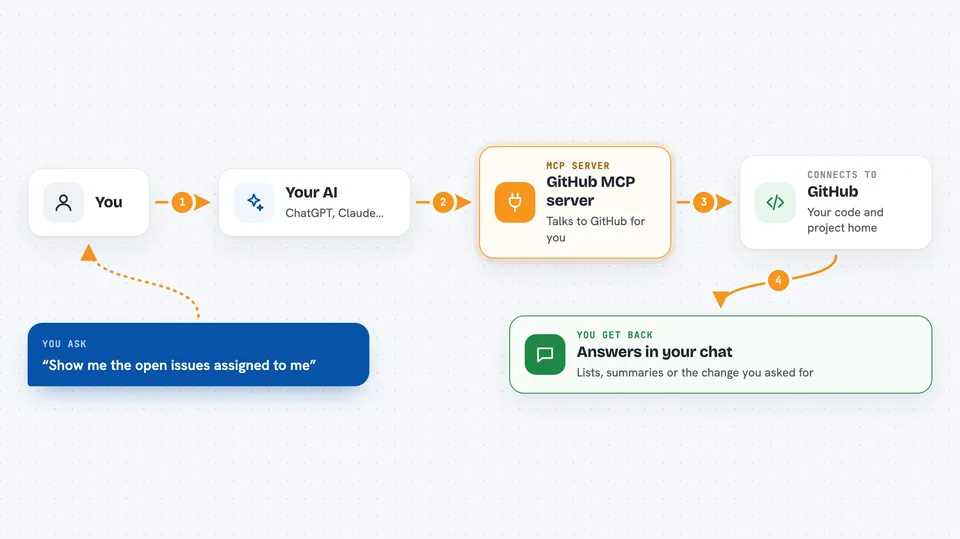
This is a small helper that connects your AI assistant to GitHub, the site where teams keep their code and track their work. Once it is set up, you can just ask your AI in normal words to look something up or make a change on GitHub. It is handy for anyone who works with code or tracks tasks and bugs on GitHub, even if you are not a programmer yourself.
What is an MCP server? The 30-second version
On its own, your AI can only chat with you. An MCP server is a small helper program that gives your AI a new skill or a connection to an app or service. This one connects your AI to GitHub, so it can look things up and do things there when you ask. You stay in charge: the AI only acts on what you tell it.
What this MCP server does
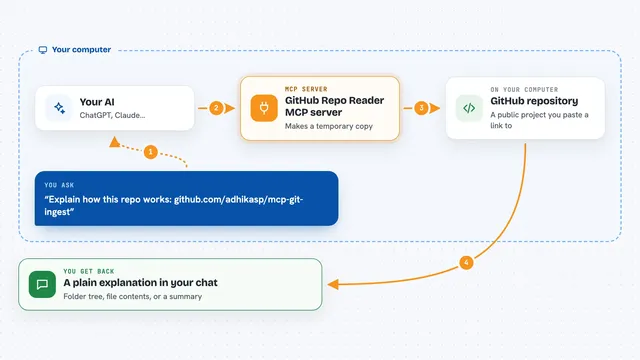
You ask your AI a question or give it a task in plain words. The AI passes that request to this helper. The helper talks to GitHub on your behalf, using your account access. Then it brings the answer back into your chat, or makes the change you asked for. You never have to click around GitHub yourself unless you want to.
 Click to zoom
What you can do with it
- Browse and search code in any repository you can access
- Read and create issues, and update them
- Review and manage pull requests
- Check build and workflow runs for failures
- Look at security and dependency alerts
- Read discussions and notifications
- Analyze commits and project structure
Try asking your AI
- “Show me the open issues assigned to me in the marketing-site repo”
- “What did the last five commits change in the checkout folder”
- “Create an issue titled Fix broken login link and add a short description”
- “Did the latest build on the main branch pass or fail”
What it gives back to you
You get answers right in the chat: lists of issues, summaries of code changes, build results, or alerts. If you asked it to make a change, it tells you what it created or updated. Sometimes it shows the exact text it wrote, like a new issue title and body. Everything stays readable, no technical output to decode.
Before you start
What you need
- A GitHub account
- An AI app that supports MCP servers, like VS Code, Claude Desktop, Cursor, or Windsurf
- Either a GitHub Personal Access Token (a kind of password you create in your GitHub settings) or the built-in login, which opens a browser window
Good to know
It can create, change, and close things on GitHub using your account, so only grant the permissions you are comfortable with and check before letting it make changes.
Install it with your AI
Add GitHub MCP server to your AI, no technical skills needed
You don't install anything by hand. You copy one prompt, paste it into an AI that can work on your computer, and it checks, installs and connects the server for you, asking you when it needs something.
Sign in to get the install prompt
Members get a ready-made prompt that lets the Claude desktop app check GitHub MCP server, install it and connect it for them, step by step. You don't need any technical skills: you copy, paste and answer a few questions. Your connected AI can also find and install any of the 4,361 MCP servers here for you.
Who it's for
Developers, project managers, and anyone who tracks code, bugs, or tasks on GitHub and wants their AI to handle the clicking.