MCP server · Developer tools
Hivelore MCP server
by Doucs91
Your AI learns your team's repo rules before coding, and commits that repeat old mistakes get blocked.
Hivelore is a helper for teams whose AI coding assistant keeps making the same repo-specific mistakes. It briefs your AI on your team's unwritten rules before it writes code, then blocks a commit if the change repeats a mistake you already documented. It is handy if you use an AI coding agent on a shared codebase and want your hard-won lessons to actually stick.
What is an MCP server? The 30-second version
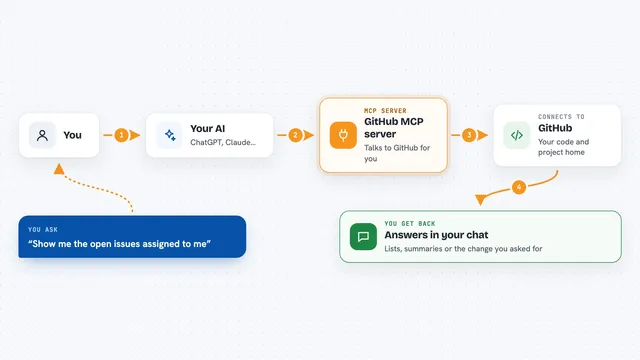
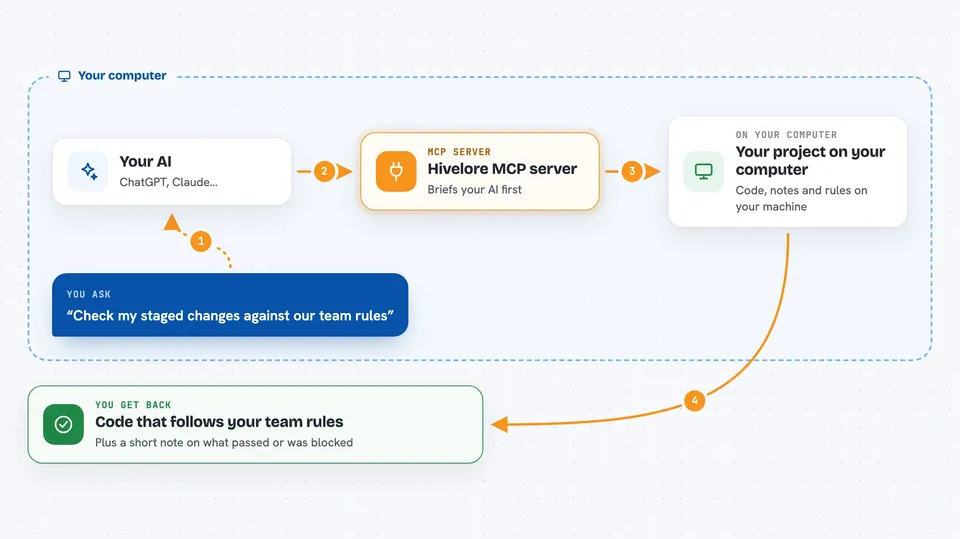
On its own, your AI can only chat and write code based on what it already knows. An MCP server is a small helper program that gives your AI a new skill or a connection to something outside the chat. This one connects your AI to Hivelore, which lives inside your code project and holds your team's notes about past mistakes and decisions. When you ask your AI to work on the code, it can call Hivelore to read those notes first, and Hivelore can also refuse a change that breaks them.
What this MCP server does
You ask your AI to make a change in your project. Before it starts, the AI calls Hivelore and gets a short briefing: the team's decisions, gotchas, and failed attempts that matter for this task. As the AI writes code, Hivelore checks the change against those notes. If the change repeats a documented mistake, Hivelore blocks the commit and tells you which lesson it broke. You end up with code that respects your team's rules, not just generic best practice.
 Click to zoom
What you can do with it
- Brief your AI on your repo's team rules before it starts coding
- Block a commit that repeats a mistake your team already fixed
- Store decisions, gotchas, and failed attempts as notes tied to code paths
- Warn you when a note points to code that has moved or changed
- Run your own tests as a guard when a specific area of code is touched
- Scaffold a starter test from a past incident so you can arm it later
- Report which parts of your code are protected by a rule
Try asking your AI
- “Get the briefing for the payments module before I change the refund logic”
- “Check my staged changes against our team rules before I commit”
- “Record a gotcha: public ids must be id plus 100000 with an AC- prefix”
- “Which lessons in this repo have no test guarding them yet”
What it gives back to you
You get short, readable answers in the chat: a briefing of the rules that matter for your task, a list of lessons and their status, or a clear block message naming the rule your change broke. When a check passes, you get a quiet confirmation. When a note points to code that moved, you get a warning so you can update it.
Before you start
What you need
- A code project stored in Git
- Node.js installed on your computer (the README shows the install command)
- Your AI coding tool set up to use MCP servers
Good to know
It can block your commits and run commands from your repo, so review any rule before promoting it to a blocking one.
Install it with your AI
Add Hivelore MCP server to your AI, no technical skills needed
You don't install anything by hand. You copy one prompt, paste it into an AI that can work on your computer, and it checks, installs and connects the server for you, asking you when it needs something.
Sign in to get the install prompt
Members get a ready-made prompt that lets the Claude desktop app check Hivelore MCP server, install it and connect it for them, step by step. You don't need any technical skills: you copy, paste and answer a few questions. Your connected AI can also find and install any of the 4,361 MCP servers here for you.
Who it's for
Developers and small engineering teams who use AI coding agents on a shared codebase and keep repeating the same repo-specific mistakes.