MCP server · Finance and crypto
SEC EDGAR MCP server
by AEGISGOVDAO
Look up US public companies and their official SEC filings and financial numbers from your AI chat.

This is a helper that connects your AI to SEC EDGAR, the official US government database of public company filings. It is handy if you work in finance, accounting, investing or research and you often need company details, annual reports or revenue figures. You ask in plain English and your AI fetches the real numbers for you.
What is an MCP server? The 30-second version
On its own, your AI can only chat with what it already knows. An MCP server is a small helper program that gives your AI a new skill or a connection to an outside service. This one connects your AI to SEC EDGAR, the US regulator's public filing database. Once it is connected, your AI can look things up there and bring the answers back into your chat.
What this MCP server does
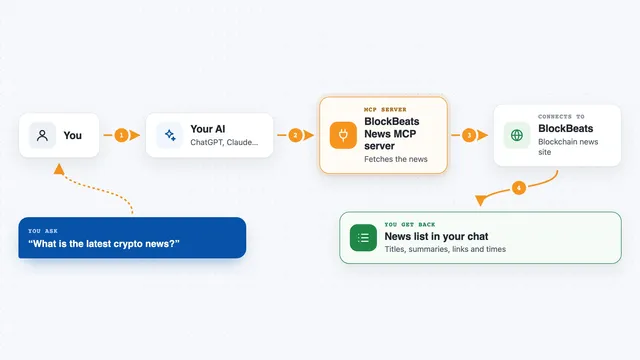
You ask your AI something like "what were Apple's latest 10-K filings" or "show me Microsoft's revenue". Your AI sends that request to this helper, which talks to the official SEC EDGAR service. The helper finds the matching company, filings or financial figures and sends them back. Your AI then shows you the results in the chat, usually as a short list or summary with links. No accounts or passwords are needed on your side.
 Click to zoom
What you can do with it
- Search for a public company by name or ticker symbol
- Pull up a company profile with its recent filings
- List 10-K, 10-Q and 8-K filings with links to the documents
- Look up financial figures like revenue, income and assets
- Check what a company has filed with the SEC recently
- Compare basic financial numbers across companies you name
Try asking your AI
- “Find the company with the ticker AAPL and show me its profile”
- “List the last three 10-K filings for Microsoft with links”
- “What was Apple's revenue in the most recent filing”
- “Search for public companies with the word Tesla in the name”
What it gives back to you
You get back short lists and summaries: company names with tickers, filing types with dates and links, and financial figures such as revenue, income and assets. The results appear right in your chat, so you can read them, copy them or ask follow-up questions. Nothing on your computer is changed; it is read-only lookups.
Before you start
Good to know
The service says it is free right now, but the README mentions that paid USDC payments may be switched on later, so keep an eye on that if you use it a lot.
Install it with your AI
Add SEC EDGAR MCP server to your AI, no technical skills needed
You don't install anything by hand. You copy one prompt, paste it into an AI that can work on your computer, and it checks, installs and connects the server for you, asking you when it needs something.
Sign in to get the install prompt
Members get a ready-made prompt that lets the Claude desktop app check SEC EDGAR MCP server, install it and connect it for them, step by step. You don't need any technical skills: you copy, paste and answer a few questions. Your connected AI can also find and install any of the 4,361 MCP servers here for you.
Who it's for
Finance, accounting, investing and research people who need quick access to official US public company filings and numbers.