MCP server · Research
B2B Enrichment MCP server
by Aleksey-Panf
Find and verify work emails, and pull company details like size and funding, right inside your AI chat.
This is a helper that connects your AI assistant to two business data services: Hunter.io for finding and checking email addresses, and Apollo.io for company facts like headcount, funding, and tech stack. It is handy if you do sales, recruiting, or market research and spend time looking people and companies up by hand. Instead of switching between websites, you ask your AI and it brings the answers back into the chat.
What is an MCP server? The 30-second version
On its own, your AI can only chat with you using what it already knows. An MCP server is a small helper program that gives your AI a new skill or a connection to an outside service. This one connects your AI to Hunter.io and Apollo.io, two places that hold contact and company information. Once it is set up, your AI can look things up there for you whenever you ask.
What this MCP server does
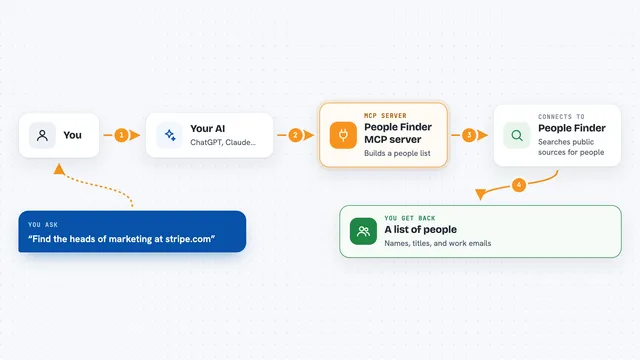
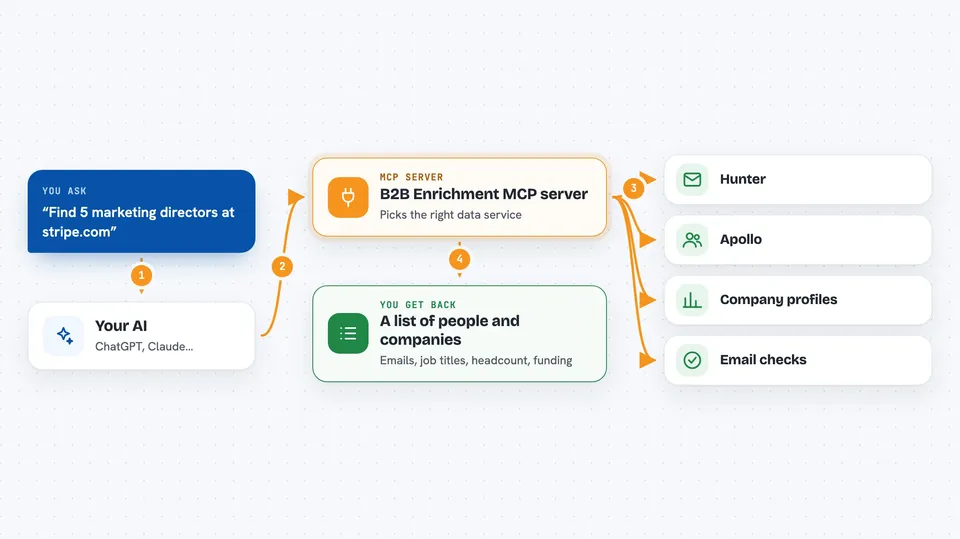
You type a request in plain words, like asking for emails at a company or details about a business. Your AI passes that request to this helper program. The helper then talks to Hunter.io or Apollo.io, whichever fits the question. Those services send back the information, and the helper hands it to your AI. Your AI then shows it to you in the chat as a list or a short summary.
 Click to zoom
What you can do with it
- Find email addresses for people at a company domain
- Guess the most likely email for one person by name and company
- Check whether an email address is valid before you send anything
- See how many emails are known for a domain (this one is free)
- Pull a company profile with headcount, revenue, funding, and tech stack
- Build a full contact profile from just an email address
- Enrich up to 10 contacts at once in a single request
Try asking your AI
- “Find 10 emails of marketing directors at SaaS companies using Hunter.”
- “Tell me everything about stripe.com, headcount, funding, tech stack, and find 5 contacts there.”
- “Verify whether john@acme.com is a valid email address.”
- “I have a list of 8 people with names and company domains. Enrich all of them for emails and job titles in one call.”
What it gives back to you
You get back lists and short summaries in the chat. For emails, that means addresses with names, job titles, and a confidence score. For companies, you get a profile with headcount, revenue, funding, tech stack, and social links. For verification, you get a simple yes or no on whether the address is deliverable.
Before you start
What you need
- Python 3.11 or newer installed on your computer
- A free Hunter.io account and its API key (a kind of password for apps; the site gives you one for free)
- A free Apollo.io account and its API key
- The Claude desktop app or the Cursor editor, if you want to use it there
Good to know
Each lookup uses up your free monthly credits on Hunter and Apollo, so a big list can run them out quickly.
Install it with your AI
Add B2B Enrichment MCP server to your AI, no technical skills needed
You don't install anything by hand. You copy one prompt, paste it into an AI that can work on your computer, and it checks, installs and connects the server for you, asking you when it needs something.
Sign in to get the install prompt
Members get a ready-made prompt that lets the Claude desktop app check B2B Enrichment MCP server, install it and connect it for them, step by step. You don't need any technical skills: you copy, paste and answer a few questions. Your connected AI can also find and install any of the 4,361 MCP servers here for you.
Who it's for
Sales reps, recruiters, founders, and marketers who look up contacts and companies often and want to skip the manual copy and paste.