MCP server · Research · official
Scrupp MCP server
by Wism-Corp · official
Let your AI pull people from LinkedIn and Apollo searches, find decision makers, and verify work emails.
This is a helper made by Scrupp that plugs into your AI assistant so it can work with Scrupp for you. Scrupp is a tool for finding people and their work email addresses, often used for sales outreach. If you spend time copying names and domains into a website to get emails, this saves you that back and forth.
What is an MCP server? The 30-second version
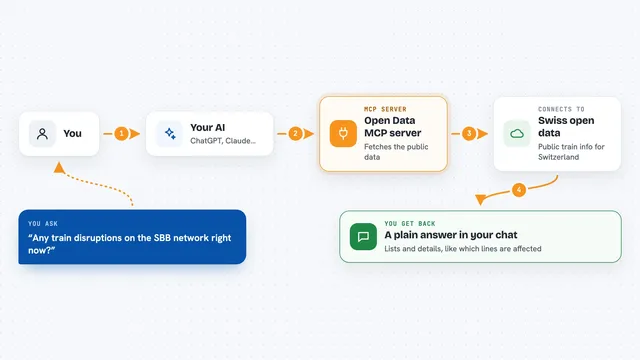
On its own, your AI can only chat with you. An MCP server is a small helper program that gives your AI a new skill or a connection to another service. This one connects your AI to Scrupp, so when you ask for emails or a list of people, the AI can go ask Scrupp and bring the answer back. You do not write any code; you just talk to your AI like normal.
What this MCP server does
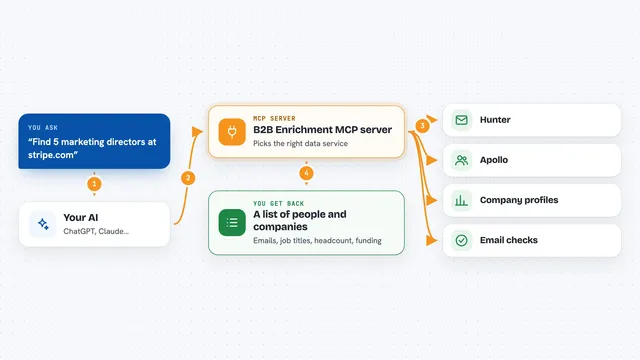
You ask your AI something like find the work emails for these five people at this company. The AI passes that request to this helper, which talks to Scrupp's service. Scrupp looks up the people, checks the emails, and sends the results back. Your AI then shows you a clean list in the chat. For bigger jobs, like exporting a whole LinkedIn search, the helper can hand back a job number and your AI checks on it until it is done.
What you can do with it
- Find verified work emails from a name and a company domain
- Check whether email addresses you already have are deliverable
- Pull people out of a LinkedIn or Sales Navigator search link
- Pull people out of an Apollo search link
- Get full profile details for LinkedIn profile links
- Look up company information by domain, LinkedIn link, or name
- See who the decision makers are at a company
- Check how many Scrupp credits you have left
Try asking your AI
- “Find the work emails for Jane Doe at acme.com and John Smith at acme.com”
- “Verify these three email addresses for me: sarah@acme.com, mike@acme.com, lisa@acme.com”
- “Who are the decision makers at acme.com?”
- “Export the first five people from this Sales Navigator search link so I can check the format”
- “How many Scrupp credits do I have left?”
What it gives back to you
You get answers right in the chat: a list of people with their names, titles, and verified email addresses, or a yes/no on whether an email is deliverable. Company lookups come back as a short profile with details like the domain and industry. For long exports, your AI first gives you a job number, then shows the records once the job finishes.
Before you start
What you need
- A Scrupp account (the free plan works for email finding and verification)
- Sign in to Scrupp when your AI asks you to connect
- For the local setup: an API key from Scrupp, which looks like sk_live_... and works like a password for apps
Good to know
Email verification costs 1 Scrupp credit each, and large exports can use a lot of credits, so check your balance first and try a small sample before running a big search.
Install it with your AI
Add Scrupp MCP server to your AI, no technical skills needed
You don't install anything by hand. You copy one prompt, paste it into an AI that can work on your computer, and it checks, installs and connects the server for you, asking you when it needs something.
Sign in to get the install prompt
Members get a ready-made prompt that lets the Claude desktop app check Scrupp MCP server, install it and connect it for them, step by step. You don't need any technical skills: you copy, paste and answer a few questions. Your connected AI can also find and install any of the 4,609 MCP servers here for you.
Who it's for
Sales and recruiting people who already use Scrupp or LinkedIn to find contacts and want their AI to do the lookups for them.