MCP server · Analytics
OpenPitch MCP server
by Avierovich
Look up AI startup valuations, ARR and funding, with sources and confidence scores, right inside your AI chat.

OpenPitch is a free, open collection of facts about AI startups: how much they are worth, how much money they make, and who funded them. Every number comes with the place it came from and a score for how much you should trust it. It is handy if you follow startups, write about them, or just want to check a figure without paying for an expensive database.
What is an MCP server? The 30-second version
On its own, your AI can only chat with you. An MCP server is a small helper program that gives your AI a new skill or a connection to a service. This one connects your AI to OpenPitch, a public database of AI startup figures. So when you ask a question, your AI can look up the answer in OpenPitch and show you where the number came from.
What this MCP server does
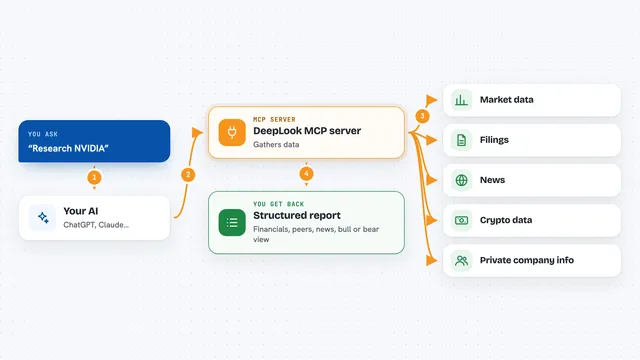
You ask your AI a question about an AI startup, like its valuation or how much money it makes. Your AI sends that question to the OpenPitch helper program running quietly on your computer. The helper reads the OpenPitch data files and finds the figures that match. It sends back the numbers along with their sources, dates and confidence scores. Your AI then writes the answer for you in plain words, and flags it if public sources disagree.
 Click to zoom
What you can do with it
- Look up a startup's valuation with the sources behind it
- Check a company's yearly recurring revenue and how fresh the figure is
- See who funded a startup and when the round closed
- Spot when public sources contradict each other on a number
- Read the history of how a figure changed over time
- Browse the list of AI startups OpenPitch tracks
Try asking your AI
- “What is Sierra's valuation, with sources and confidence?”
- “What's Cognition's ARR, and how old is that number?”
- “Who funded Anthropic's latest round, and when did it close?”
- “Are there any AI startups in OpenPitch where the sources disagree on funding?”
What it gives back to you
You get an answer in the chat with the figure, the date it applies to, and a confidence score. Underneath, you see the sources it came from, like a news article or a podcast. If sources disagree, you get a range and a note that they contradict each other. Everything stays in the chat as text you can read or copy.
Before you start
What you need
- A tool that can run MCP servers, like Claude Code or Codex
- uvx or Python installed on your computer (the README shows both options)
- No account, no signup, no API key
Good to know
The numbers are estimates gathered from public sources, not verified facts, so always check them before using them for a real decision.
Install it with your AI
Add OpenPitch MCP server to your AI, no technical skills needed
You don't install anything by hand. You copy one prompt, paste it into an AI that can work on your computer, and it checks, installs and connects the server for you, asking you when it needs something.
Sign in to get the install prompt
Members get a ready-made prompt that lets the Claude desktop app check OpenPitch MCP server, install it and connect it for them, step by step. You don't need any technical skills: you copy, paste and answer a few questions. Your connected AI can also find and install any of the 4,361 MCP servers here for you.
Who it's for
People who follow AI startups, like analysts, journalists, investors doing a first look, and founders keeping an eye on competitors.