MCP server · Generative art
Replicate Flux MCP server
by awkoy
Let your AI create images and simple vector graphics from your text descriptions.

This is a small helper that lets your AI assistant make pictures for you. You describe what you want in plain words, and it creates the image. It is handy for anyone who needs a quick picture, logo, or icon without opening a design app.
What is an MCP server? The 30-second version
On its own, your AI can only chat. It cannot actually make a picture, it can only talk about one. An MCP server is a small helper program that gives your AI a new skill or a connection to another service. This one connects your AI to Replicate, a service that runs image-making models, so your AI can send your request there and bring back a finished image.
What this MCP server does
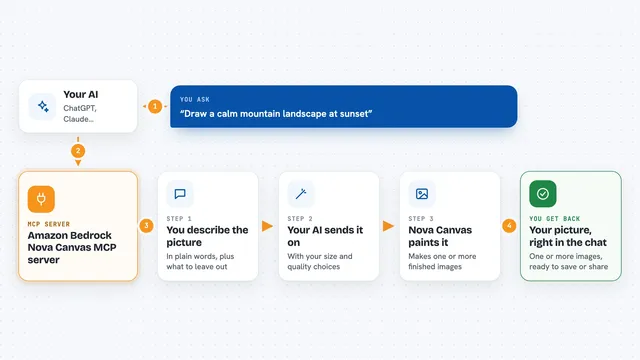
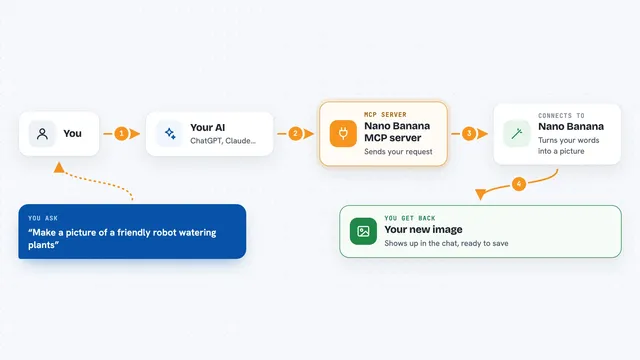
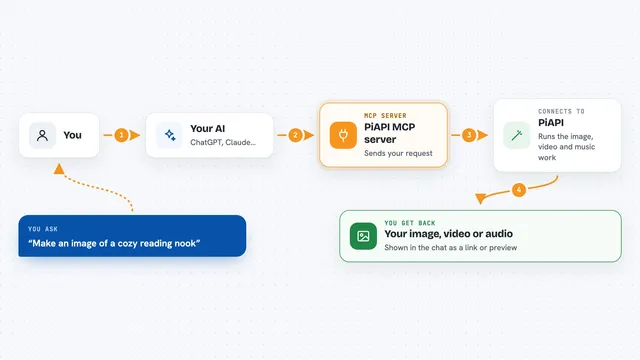
You ask your AI for a picture, like a mountain at sunset. Your AI passes your words to this helper. The helper sends the request to Replicate, which runs an image model and creates the picture. When it is done, the image comes back into your chat so you can look at it, save it, or ask for changes. You can also ask for several images at once, or a few versions of the same idea.
 Click to zoom
What you can do with it
- Create an image from a text description
- Make several different images in one go
- Generate a few variations of the same idea
- Create simple vector graphics like logos and icons
- Choose the shape of the image, like wide or square
- Pick the file type, such as png or jpg
- Look back at images you made earlier
Try asking your AI
- “Can you generate an image of a serene mountain landscape at sunset?”
- “Make me four logo ideas for a coffee shop called Morning Brew”
- “Create a simple line-art icon of a paper plane”
- “Generate three versions of a product shot for a white sneaker”
What it gives back to you
You get the finished image right in the chat, along with the words you used and a few details like the size and file type. If you asked for several images or variations, you get them all together. You can also ask it to show a list of images you made before.
Before you start
What you need
- A Replicate account and an API token (a kind of password for apps; you create it in your Replicate account settings)
- An AI app that supports MCP servers, like Claude Desktop or Cursor
- Node.js installed on your computer if you run it yourself
Good to know
Making images uses your Replicate account, and Replicate charges for usage, so keep an eye on your spending.
Install it with your AI
Add Replicate Flux MCP server to your AI, no technical skills needed
You don't install anything by hand. You copy one prompt, paste it into an AI that can work on your computer, and it checks, installs and connects the server for you, asking you when it needs something.
Sign in to get the install prompt
Members get a ready-made prompt that lets the Claude desktop app check Replicate Flux MCP server, install it and connect it for them, step by step. You don't need any technical skills: you copy, paste and answer a few questions. Your connected AI can also find and install any of the 4,361 MCP servers here for you.
Who it's for
Anyone who needs quick images, logos, or icons without design skills, such as marketers, small business owners, and people making slides or social posts.