MCP server · Analytics
Apache Superset MCP server
by bintocher
Lets your AI manage Superset dashboards, charts, datasets, users and permissions for you.
This is a helper that connects your AI assistant to Apache Superset, the tool many teams use to build dashboards and charts from their data. Once it is set up, you can ask your AI in plain words to look things up or make changes in Superset instead of clicking through the website yourself. It is handy for anyone who works with dashboards and reports but does not want to hunt through menus all day.
What is an MCP server? The 30-second version
On its own, your AI can only chat. An MCP server is a small helper program that gives your AI a new skill or a connection to another app. This helper connects your AI to your Apache Superset account, so when you ask a question about your dashboards, charts, datasets or users, the AI can go and look it up or make the change for you. You stay in the chat, and the helper does the running around.
What this MCP server does
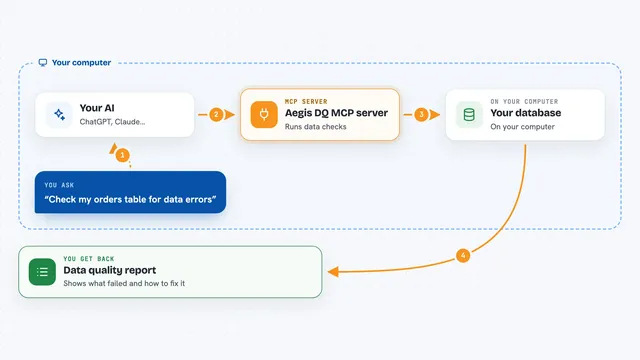
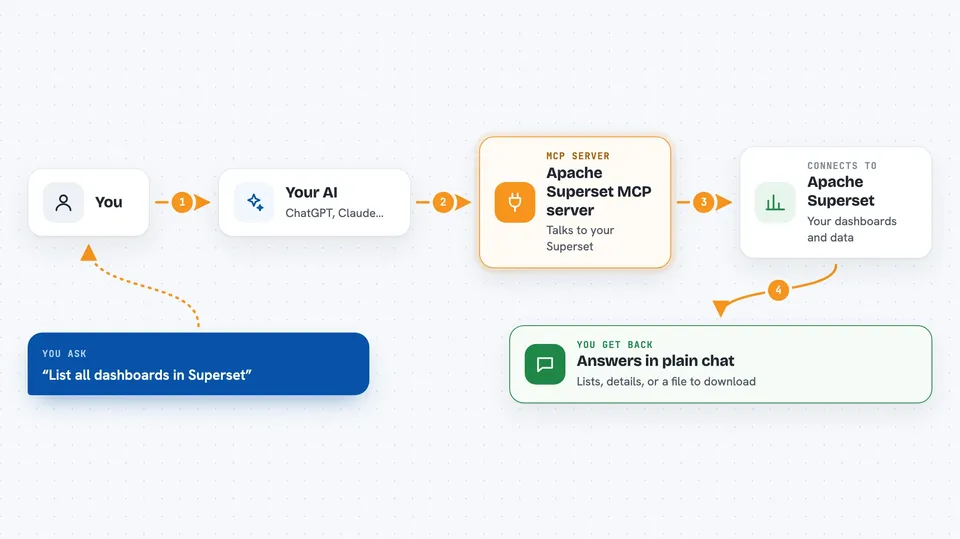
You ask your AI something about your Superset, like which dashboards exist or who can see a certain chart. The AI sends that request to this helper program, which talks to your Superset instance using your login details. Superset answers, and the helper passes the result back to the AI. The AI then explains it to you in the chat, in normal words. For changes, like creating a dashboard or updating a user, the same thing happens in reverse: the helper makes the change in Superset for you.
 Click to zoom
What you can do with it
- List and search your dashboards, charts and datasets
- Create, copy, update or delete dashboards and charts
- Run read-only SQL queries in SQL Lab and get the results
- Manage users, roles and groups in Superset
- Set up Row Level Security so people only see their own rows
- Check who has access to which dashboards and datasets
- Export or import dashboards and charts as files
Try asking your AI
- “List all dashboards in Superset and tell me which ones are still drafts”
- “Create a new chart from the sales dataset showing revenue by month”
- “Which users have access to the Finance dashboard?”
- “Run this SQL query in SQL Lab and show me the first 20 rows”
What it gives back to you
You get answers in the chat: lists of dashboards, charts or users, details about a specific item, or the rows from a SQL query. When you ask it to change something, it tells you what it changed, like a new dashboard name or an updated user role. For exports, it can hand you a file to download. Everything shows up as normal text in your conversation, no technical steps for you to follow.
Before you start
What you need
- An Apache Superset account with the right permissions
- Your Superset web address, username and password
- Python installed on your computer if you run it yourself
- The uv tool (a small installer) if you want the easiest setup
Install it with your AI
Add Apache Superset MCP server to your AI, no technical skills needed
You don't install anything by hand. You copy one prompt, paste it into an AI that can work on your computer, and it checks, installs and connects the server for you, asking you when it needs something.
Sign in to get the install prompt
Members get a ready-made prompt that lets the Claude desktop app check Apache Superset MCP server, install it and connect it for them, step by step. You don't need any technical skills: you copy, paste and answer a few questions. Your connected AI can also find and install any of the 4,361 MCP servers here for you.
Who it's for
Data analysts, BI teams and anyone who manages Superset dashboards, datasets or user access and wants to do it by chatting instead of clicking.