MCP server · Finance and crypto
BlockRun MCP server
by blockrunai
Lets your AI look up live market, web and crypto data, and even place small prediction-market trades.

BlockRun MCP is a helper you add to your AI assistant so it can fetch live information from the internet and from crypto markets, instead of only chatting from memory. It also lets your AI place real bets on Polymarket, a prediction market site. It is handy if you follow markets, crypto or news and want your AI to check current numbers for you.
What is an MCP server? The 30-second version
On its own, your AI can only talk. An MCP server is a small helper program that gives your AI a new skill or a connection to an outside service. This one connects your AI to BlockRun, which gathers live data from many sources and can also carry out trades. Once it is connected, you just ask a question in plain words and the helper goes and gets the answer.
What this MCP server does
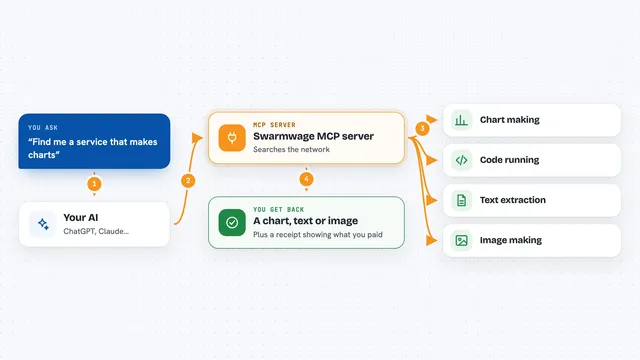
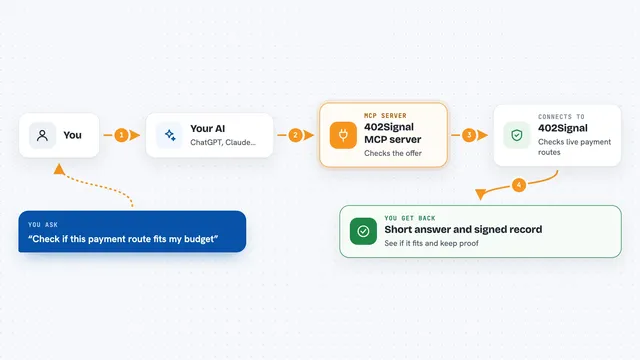
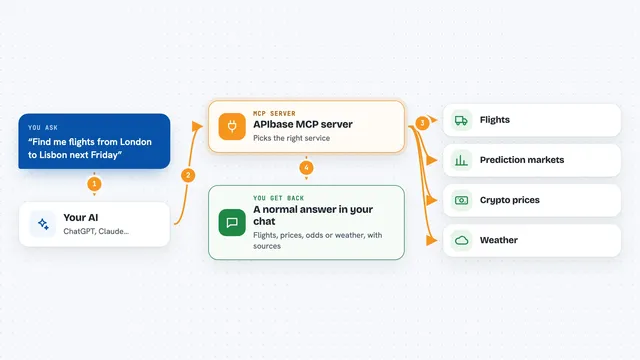
You ask your AI a question, like what the odds are on a prediction market or what people are saying on X right now. Your AI passes that request to this helper program. The helper talks to BlockRun's service, which fetches the data or performs the action. Then the answer comes back into your chat. For trades, it shows you a confirmation step before anything is paid or placed.
 Click to zoom
What you can do with it
- Ask for live prediction-market odds on events like elections or crypto prices
- Search the web and X for what people are saying right now
- Generate images, video, music or speech
- Look up crypto prices and on-chain data across many chains
- Compare or use many different AI models through one connection
- Check your wallet balance and top it up
- Place a small real bet on Polymarket after confirming
Try asking your AI
- “What is the current Polymarket probability that Bitcoin hits $100k this year?”
- “Find me the top papers on RAG published in the last 30 days”
- “What are people saying about @sama on X right now?”
- “What is the 24h volume on the PEPE/ETH pair on Uniswap?”
What it gives back to you
You get answers written into your chat: numbers, short summaries, lists of results, or links. For images, video or audio, you get the generated file. For trades, you see a confirmation card first, and after you approve, a note that the trade was placed. Your wallet balance also shows up as a small panel in some apps.
Before you start
What you need
- An MCP-compatible AI app such as Claude Code, Claude Desktop, Cursor or VS Code
- Node.js installed on your computer (the helper runs through npx)
- For wallet mode: about $5 of USDC on Solana or Base to pay for calls
- For account mode: a BlockRun API key from user.blockrun.ai, topped up by card or wire
Good to know
It can spend real money from your wallet or account credit and can place real bets, so keep the confirmation setting on and set a budget limit.
Install it with your AI
Add BlockRun MCP server to your AI, no technical skills needed
You don't install anything by hand. You copy one prompt, paste it into an AI that can work on your computer, and it checks, installs and connects the server for you, asking you when it needs something.
Sign in to get the install prompt
Members get a ready-made prompt that lets the Claude desktop app check BlockRun MCP server, install it and connect it for them, step by step. You don't need any technical skills: you copy, paste and answer a few questions. Your connected AI can also find and install any of the 4,361 MCP servers here for you.
Who it's for
People who follow markets, crypto or news and want their AI to pull live data and place small prediction-market trades without setting up accounts with many vendors.