MCP server · Finance and crypto
FINSEC SEC filing MCP server
by Calera-Labs
Ask your AI for numbers from official SEC filings, with the filing source attached.

This is a helper that connects your AI assistant to a large library of facts taken from official SEC filings, the reports public companies in the US must file. You ask a question in plain English, and the AI pulls the number from that library instead of guessing. It is handy for anyone who needs company figures for work, study, or research and wants to see where the number came from.
What is an MCP server? The 30-second version
On its own, your AI can only chat. It does not know Apple's exact revenue last year, and if you ask, it may make up a number that sounds right. An MCP server is a small helper program that gives your AI a new skill or a connection to a service. This one connects your AI to FINSEC, a service that holds millions of facts from SEC filings, so the AI can look up real company numbers for you when you ask.
What this MCP server does
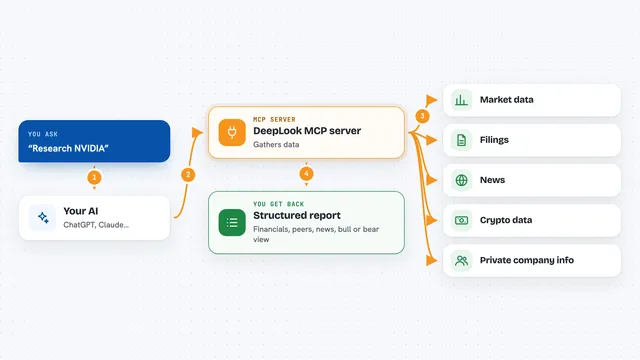
You ask your AI a question about a public company's finances, like revenue, profit, or growth. The AI sends that question to this helper, which talks to the FINSEC service. FINSEC looks through its library of facts taken from official SEC filings and finds the matching number. It sends the number back along with details about which filing it came from. Your AI then shows you the answer in the chat, with the source noted.
 Click to zoom
What you can do with it
- Look up a company's revenue, profit, or margin for a given year
- Compare two companies' financial figures side by side
- Calculate a company's growth rate over several years
- Pull valuation inputs like cash flow or financial health scores
- Check which SEC filing a number came from
- Compare a company against others in its industry
- Get an honest 'not found' answer instead of a made-up number
Try asking your AI
- “What was Apple's total revenue and gross margin in fiscal year 2023?”
- “Compare Microsoft and Alphabet's operating income for the third quarter of 2024.”
- “Calculate Nvidia's three-year revenue growth rate from 2021 to 2024.”
- “Pull the DuPont analysis inputs for Tesla in 2023.”
What it gives back to you
You get the number you asked for, in plain figures, right in the chat. Along with it, you see which SEC filing it came from, the date, and a short code that acts like a fingerprint for that filing. If the number is not in the official filings, you get a clear message saying it could not be found instead of a guess.
Before you start
What you need
- A free API key from dashboard.caleralabs.com (a kind of password that lets the service know it is you)
- An AI assistant that supports MCP servers, like Claude Desktop, Cursor, or Zed
- Node.js installed if you use the terminal install option
Good to know
The service needs your API key to work, so keep that key private and do not share it in public places.
Install it with your AI
Add FINSEC SEC filing MCP server to your AI, no technical skills needed
You don't install anything by hand. You copy one prompt, paste it into an AI that can work on your computer, and it checks, installs and connects the server for you, asking you when it needs something.
Sign in to get the install prompt
Members get a ready-made prompt that lets the Claude desktop app check FINSEC SEC filing MCP server, install it and connect it for them, step by step. You don't need any technical skills: you copy, paste and answer a few questions. Your connected AI can also find and install any of the 4,361 MCP servers here for you.
Who it's for
Anyone who needs reliable company financial numbers for work or study, like analysts, finance students, accountants, and business researchers.