MCP server · Productivity
AKA Recht MCP server
by Cehha79
Lets your AI help you organise your own German legal case files, check deadlines and draft letters.
AKA Recht is a local folder that keeps your own legal matters in order: a parking ticket, a dismissal, a tenancy dispute. It stores your documents, parties, deadlines and history in one place on your own computer. This MCP server is the bridge that lets your AI assistant read that case file and, with your confirmation, add to it.
What is an MCP server? The 30-second version
On its own, your AI can only chat. An MCP server is a small helper program that gives your AI a new skill or a connection to something. This one connects your AI to your AKA Recht case folder, so it can look things up there or write to it when you ask. You stay in control: the AI reads, and it only changes anything after you say yes.
What this MCP server does
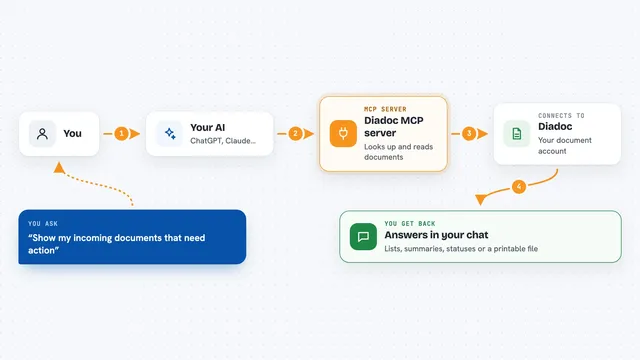
You ask your AI something about your legal matter, in normal words. The AI uses this helper to look inside your AKA Recht folder. The helper reads your case data, documents, parties, timeline and deadlines. Then the AI gives you back an answer, a summary or a draft letter. If you want something saved or changed, the AI asks you first, and only then writes it into the case file.
What you can do with it
- Search your case file for a person, a date or a keyword
- Summarise what has happened so far in a matter
- Work out when a deadline ends, including weekends and public holidays
- Draft a letter or a reply for you to review
- List the parties involved and what role each one has
- Show the timeline of events with the gaps between them
- Save a new document or note into the case, after you confirm
Try asking your AI
- “What deadlines do I have coming up in my dismissal case?”
- “Summarise the timeline of my tenancy dispute so far.”
- “When does the objection deadline end if the letter arrived on 3 March?”
- “Draft a short reply to the landlord's last letter for me to check.”
What it gives back to you
You get answers in plain language in the chat: summaries, lists of deadlines with their legal basis, timelines of events, or a draft letter you can read and edit. When it saves something, it tells you what it added or changed. Everything it read from your case file is sent to your AI provider, so keep that in mind.
Before you start
What you need
- Python 3.12 or newer installed on your computer
- The AKA Recht folder downloaded and started once
- An AI assistant that can use MCP, such as Claude Desktop or Claude Code
Good to know
It can change your case file, but only after you confirm, and everything the AI reads is sent to your AI provider, so do not use it for anything you would not share there.
Install it with your AI
Add AKA Recht MCP server to your AI, no technical skills needed
You don't install anything by hand. You copy one prompt, paste it into an AI that can work on your computer, and it checks, installs and connects the server for you, asking you when it needs something.
Sign in to get the install prompt
Members get a ready-made prompt that lets the Claude desktop app check AKA Recht MCP server, install it and connect it for them, step by step. You don't need any technical skills: you copy, paste and answer a few questions. Your connected AI can also find and install any of the 4,361 MCP servers here for you.
Who it's for
People handling their own legal matters in Germany, such as a dismissal, a fine or a tenancy dispute, who want help staying organised.