MCP server · Productivity
SBIS (Saby) MCP server
by ilyautov
Lets your AI look up SBIS documents, signature certificates, employees and contractors, and make changes when you confirm.
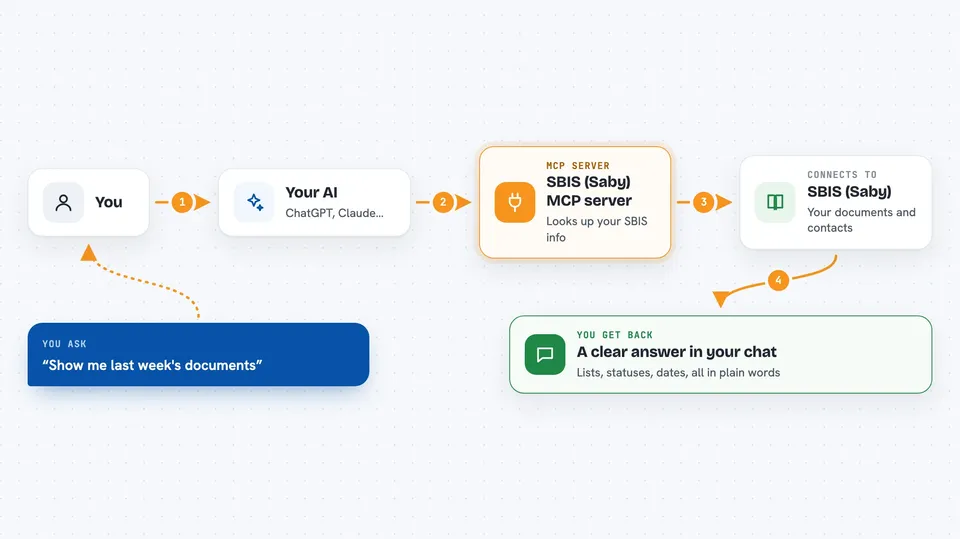
This is a small helper that connects your AI assistant to SBIS (also called Saby), the Russian service many companies use for electronic documents and workflow. Once it is set up, you can ask your AI in plain words to find documents, check where things are stuck, or look at signature certificates. It is handy for accountants, clerks, HR staff and anyone who works in SBIS every day.
What is an MCP server? The 30-second version
On its own, your AI can only chat with you. An MCP server is a small helper program that gives your AI a new skill, in this case a connection to SBIS (Saby). You ask your AI something like "show me the documents from last week", the AI passes that to this helper, and the helper talks to SBIS for you. You get the answer back in the chat, without opening SBIS yourself.
What this MCP server does
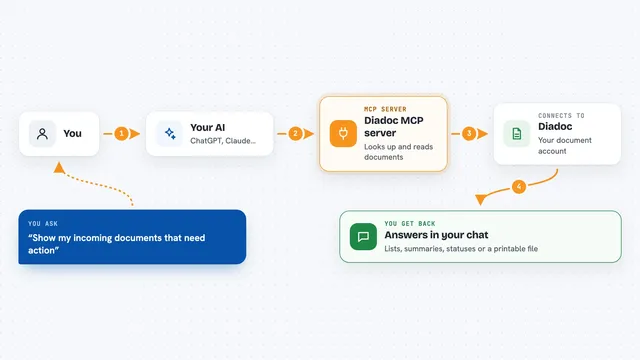
You ask your AI a question in normal words, for example about documents, employees or certificates. The AI uses this helper to find the right SBIS action, checks what it needs, and calls it. The helper sends the request to SBIS using your session, and SBIS sends back the data. The AI then turns that into a readable answer in your chat. If the action would change or delete something, the helper asks you to confirm first.
 Click to zoom
What you can do with it
- List documents of a chosen type for a period
- See which stage your outgoing documents are stuck at
- Check the status of signature certificates before they expire
- Find a contractor and their electronic document exchange ID
- Look up employees and departments
- Sign attachments electronically when you confirm
- Work with machine-readable powers of attorney (MChD)
Try asking your AI
- “Show me the list of documents from last week”
- “Which outgoing documents are still waiting for a signature?”
- “Check my signature certificates and tell me which ones expire soon”
- “Find the contractor Romashka and give me their exchange ID”
What it gives back to you
You get answers in the chat: lists of documents with their type and status, the stage each one is at, certificate details with expiry dates, and contractor or employee information. When you ask it to change something, it tells you what it did after you confirm. Everything is written as normal text you can read, not as code.
Before you start
What you need
- An SBIS (Saby) account with API access
- A session ID from the SBIS.Аутентифицировать command (a kind of temporary pass; you get it by logging in with your SBIS login and password)
- Python 3.10 or newer if you install it yourself
- The Claude desktop app if you want to install it with the .mcpb file
Good to know
Some actions can change or delete documents and other records in SBIS, so read the confirmation prompt before you say yes.
Install it with your AI
Add SBIS (Saby) MCP server to your AI, no technical skills needed
You don't install anything by hand. You copy one prompt, paste it into an AI that can work on your computer, and it checks, installs and connects the server for you, asking you when it needs something.
Sign in to get the install prompt
Members get a ready-made prompt that lets the Claude desktop app check SBIS (Saby) MCP server, install it and connect it for them, step by step. You don't need any technical skills: you copy, paste and answer a few questions. Your connected AI can also find and install any of the 4,609 MCP servers here for you.
Who it's for
Accountants, clerks, HR staff and office workers who use SBIS (Saby) daily and want their AI to look things up or make changes for them.