MCP server · Productivity
OpenAgreements MCP server
Fill standard legal templates like NDAs and SAFEs and get a signable Word file back.

OpenAgreements is a helper that fills in standard legal agreement templates for you, like NDAs, SAFEs, and employment forms. You give it the details (names, companies, dates), and it produces a Word document you can review and sign. It is handy for founders, office managers, and anyone who needs a basic contract without starting from scratch.
What is an MCP server? The 30-second version
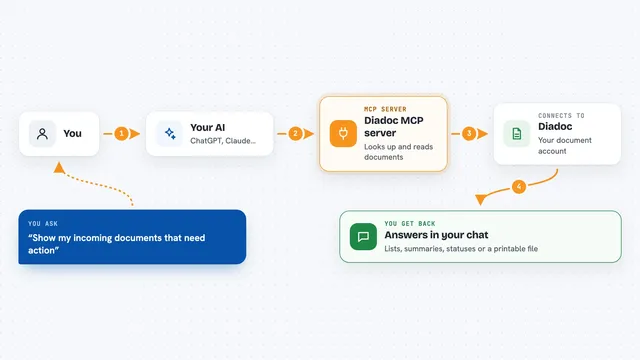
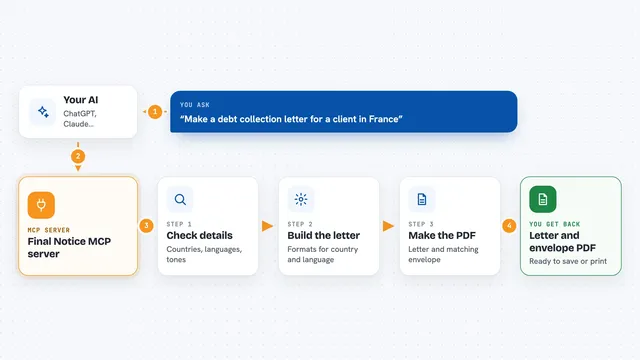
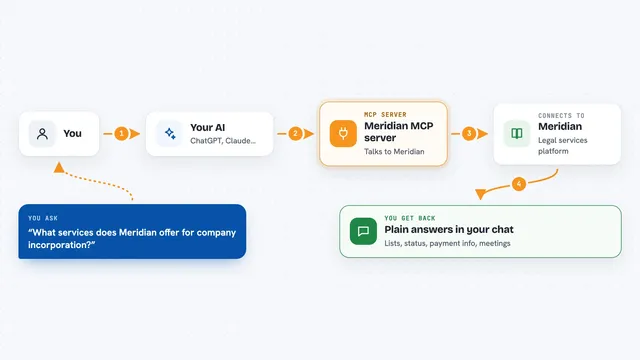
On its own, your AI can only chat. An MCP server is a small helper program that gives your AI a new skill or a connection to an app or service. This one connects your AI to OpenAgreements, a library of standard legal templates. So when you ask for an NDA, your AI can use this helper to fill the template and hand you back a document.
What this MCP server does
You tell your AI what agreement you need and the details to fill in. Your AI passes that to the OpenAgreements helper. The helper picks the right standard template, plugs in your values, and checks that nothing important is missing. Then it creates a Word file (DOCX) with the filled agreement. You get that file back in the chat so you can open it, read it, and review it before signing.
 Click to zoom
What you can do with it
- Fill a standard mutual NDA with your party names and effective date
- Create a SAFE agreement from a standard template
- Generate an employment agreement draft
- List all available agreement templates
- Produce a reviewable Word document you can edit
- Check which fields still need your attention before finalizing
Try asking your AI
- “Fill a mutual NDA between Acme Manufacturing and Northeast Logistics, effective July 15 2026, for evaluating a logistics relationship”
- “Make me a SAFE for a seed investment using the standard template”
- “List all the agreement templates you have”
- “Create an employment agreement for a new hire in Delaware”
What it gives back to you
You get a Word document (DOCX file) with the filled agreement, ready to open in Word or another viewer. The helper also tells you which fields still need attention if any were left blank or need a decision. Everything comes back in the chat as a file you can download and review.
Before you start
What you need
- Node.js 18 or newer if you install the local version
- A free OpenAgreements account if you use the hosted version
- The Claude desktop app or another AI tool that supports MCP
Good to know
This tool creates legal drafts, not legal advice, and you should always have a lawyer review any agreement before signing.
Install it with your AI
Add OpenAgreements MCP server to your AI, no technical skills needed
You don't install anything by hand. You copy one prompt, paste it into an AI that can work on your computer, and it checks, installs and connects the server for you, asking you when it needs something.
Sign in to get the install prompt
Members get a ready-made prompt that lets the Claude desktop app check OpenAgreements MCP server, install it and connect it for them, step by step. You don't need any technical skills: you copy, paste and answer a few questions. Your connected AI can also find and install any of the 4,361 MCP servers here for you.
Who it's for
Founders, small business owners, office managers, and anyone who needs basic legal agreements without hiring a lawyer for every draft.