MCP server · Analytics
TikTok Ads MCP server
by dhawalshah
Ask your AI about your TikTok ad campaigns, video performance, and benchmarks in plain words.
This is a helper that connects your AI assistant to your TikTok ad account. Once it is set up, you can ask questions about your campaigns, ads, and video results in normal sentences instead of clicking around the ads dashboard. It is handy if you run or check TikTok ads and want quick answers without hunting through reports.
What is an MCP server? The 30-second version
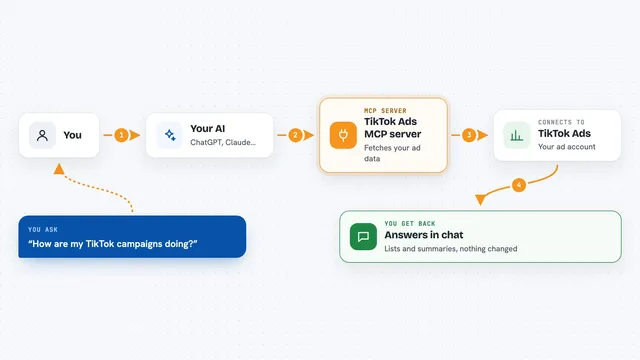
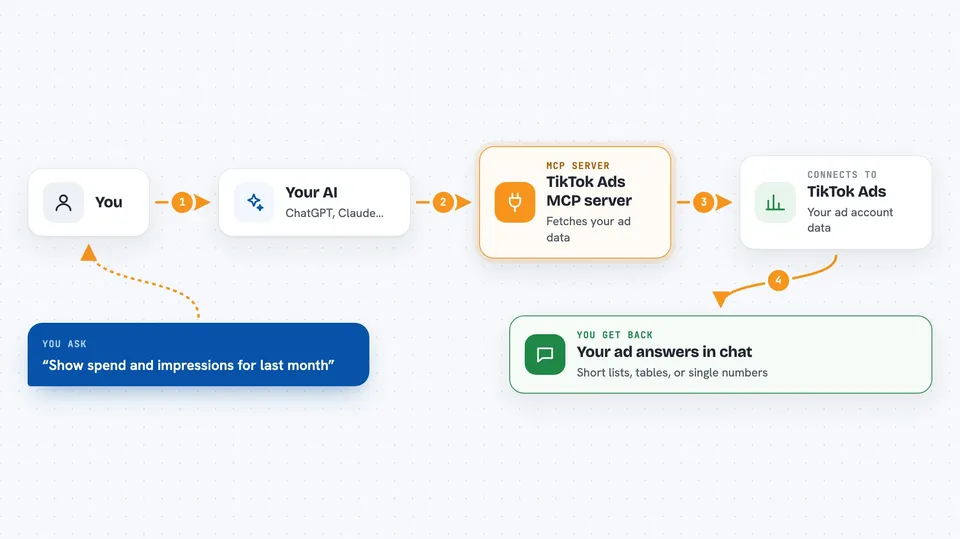
On its own, your AI can only chat. It cannot see your TikTok ads or your numbers. An MCP server is a small helper program that gives your AI a new connection, here to your TikTok ad account, so it can look things up for you. You ask a question, the AI passes it to this helper, and the helper fetches the answer from TikTok.
What this MCP server does
You type a question in your AI chat, like asking for spend by campaign last month. The AI sends that request to this helper. The helper signs in to your TikTok ad account and asks TikTok for the data. Then it hands the result back to the AI, which writes it up for you in the chat. You never have to open the TikTok ads dashboard yourself.
 Click to zoom
What you can do with it
- List your TikTok advertiser accounts
- Show spend, impressions, and clicks for a date range
- Check video metrics like 6-second views and completion rate
- Compare your ad CTR, CVR, CPM, and CPC to industry benchmarks
- See creative fatigue scores for your videos
- Browse interest categories for audience targeting
- List your TikTok Pixel events and conversion stats
Try asking your AI
- “List all my TikTok advertiser accounts”
- “Show spend and impressions by campaign for the last 30 days”
- “What is the 6-second view rate for campaign 12345?”
- “How does ad 111 CTR compare to industry benchmarks?”
What it gives back to you
You get answers written in the chat, usually as short lists or tables. For example, a list of campaigns with their spend and impressions, or a single number like a view rate. It can also show comparisons, like your CTR next to the industry average, and flag videos that look tired. Everything comes back as text you can read and copy.
Before you start
What you need
- A TikTok Business account with at least one advertiser account you can access
- A TikTok Business developer app (App ID and Secret) from the TikTok developer portal
- For the remote setup: a Google Cloud project with Firestore turned on
- The Claude desktop app or a Claude plan that supports custom connectors
Good to know
This helper is built to look things up, not to change your ads, but it can read your ad account data, so treat the access token and app secret like passwords and keep them private.
Install it with your AI
Add TikTok Ads MCP server to your AI, no technical skills needed
You don't install anything by hand. You copy one prompt, paste it into an AI that can work on your computer, and it checks, installs and connects the server for you, asking you when it needs something.
Sign in to get the install prompt
Members get a ready-made prompt that lets the Claude desktop app check TikTok Ads MCP server, install it and connect it for them, step by step. You don't need any technical skills: you copy, paste and answer a few questions. Your connected AI can also find and install any of the 4,361 MCP servers here for you.
Who it's for
Marketing people, media buyers, and agency teams who run TikTok ads and want fast answers without digging through the ads dashboard.