MCP server · Developer tools
AgentNexus MCP server
by dugubuyan
Keeps your coding agents in sync when one part of your project changes and another part has to react.

AgentNexus is a helper you run yourself that lets AI coding agents working on different parts of a project share documents and tell each other when something changes. If you have one agent working on a backend and another on a frontend, this is the messenger between them. It is handy for developers who run several AI coding tools at once and are tired of copying specs between chats by hand.
What is an MCP server? The 30-second version
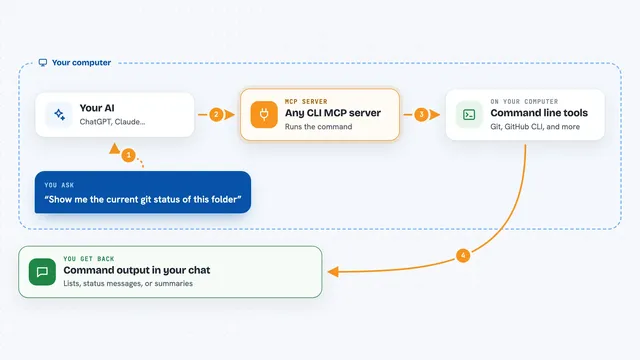
On its own, your AI can only chat with you. An MCP server is a small helper program that gives your AI a new skill or a connection to a service. This one connects your AI to AgentNexus, a place where project documents are stored and shared. Once connected, your AI can create spaces, publish documents, subscribe to other people's documents, and check what changed, all by asking in plain language.
What this MCP server does
You ask your AI to set up a project space and register the parts of your system, like backend and frontend. Your AI then publishes documents such as API specs into that space and subscribes one part to another part's documents. When a document changes, AgentNexus sends a notification with the exact difference plus the full new text. The other agent can read that and make the matching change on its side. You can also browse everything in a web dashboard and search across documents.
 Click to zoom
What you can do with it
- Create a shared space for a project
- Register each part of your system as its own sub-project
- Publish versioned Markdown documents like specs and requirements
- Subscribe one part to another part's documents
- Check for updates and see the exact change plus the full new text
- Search across all documents in a space
- Generate onboarding files for tools like Claude, Cursor, Kiro, and Codex
Try asking your AI
- “Create a project space called my-shop and register backend-api and frontend as sub-projects”
- “Publish this API spec as a document under the backend-api project”
- “Subscribe the frontend to the backend-api documents”
- “Show me any updates for the frontend since last time, with the diff and full content”
What it gives back to you
You get back lists of spaces, projects, and documents, plus the actual document text when you ask for it. When something changed, you get a short summary of the difference and the full new version in one reply. Search returns matching documents ranked by relevance. The AI can also tell you which notifications are still unread and mark them as read.
Before you start
What you need
- Python installed on your computer (the README says pip install -e .)
- Or Docker if you prefer to run it in a container
- An MCP client like Kiro, Claude, Cursor, or Codex to connect to it
- Optional: an API key for the AI Chat feature (leave it empty to turn that part off)
Good to know
This server stores your project documents and can change them, so be careful about what you publish and who can reach the server address.
Install it with your AI
Add AgentNexus MCP server to your AI, no technical skills needed
You don't install anything by hand. You copy one prompt, paste it into an AI that can work on your computer, and it checks, installs and connects the server for you, asking you when it needs something.
Sign in to get the install prompt
Members get a ready-made prompt that lets the Claude desktop app check AgentNexus MCP server, install it and connect it for them, step by step. You don't need any technical skills: you copy, paste and answer a few questions. Your connected AI can also find and install any of the 4,361 MCP servers here for you.
Who it's for
Developers and small teams who run several AI coding agents on different parts of one product and want them to stay in sync without manual copy-paste.