
MCP server · Productivity
agenthold MCP server
by edobusy
Keeps multiple AI agents from overwriting each other's work by tracking versions and claims.
agenthold is a helper program that stops two AI agents from quietly overwriting each other's changes. It gives your agents a shared place to store values and to claim files before they edit them. It is handy if you run more than one agent at the same time on the same project.
What is an MCP server? The 30-second version
On its own, your AI can only chat. An MCP server is a small helper program that gives your AI a new skill or a connection to something. This server connects your AI to a shared state store called agenthold, where values and files are tracked with version numbers. Once it is connected, your AI can check who is working on what and avoid stepping on another agent's toes.
What this MCP server does
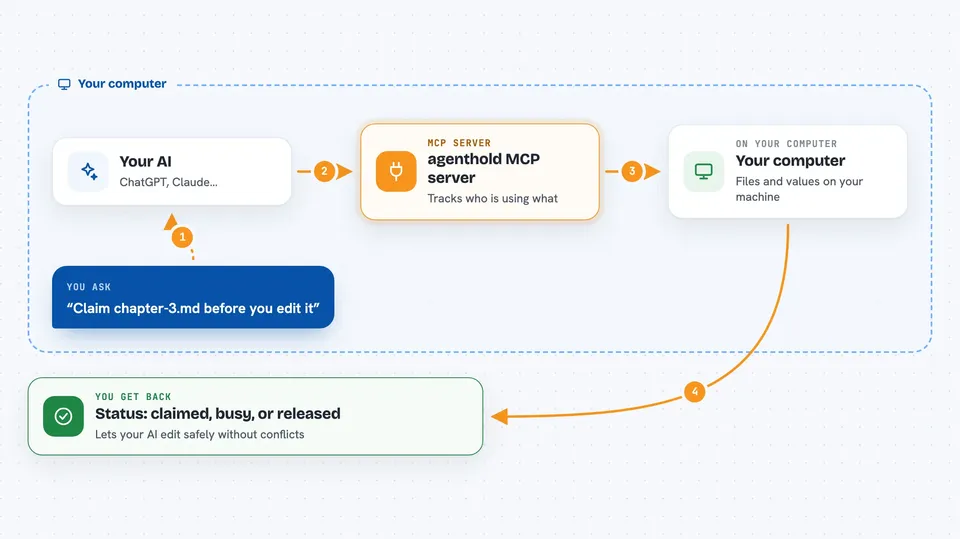
You ask your AI to work on a file or a shared value. Your AI uses this helper to register itself, then to claim the file or value before touching it. The helper checks a small database to see if another agent already holds it. If the file is free, your AI gets exclusive access and can do its work. If another agent holds it, your AI is told to wait or pick something else. When your AI is done, it releases the claim with a note about what it did.
 Click to zoom
What you can do with it
- Register an agent so it gets a unique ID
- Claim a file or value before editing it
- Release a claim with a note about what changed
- Check whether a file or value is free or taken
- Wait for a busy file to become available
- See the history of who held a file and what they did
- Coordinate several agents across more than one project folder
Try asking your AI
- “Claim chapter-3.md before you edit it, and tell me if someone else is already working on it.”
- “Check whether the budget value is free, then update it to 8000 if no one else holds it.”
- “Wait up to 30 seconds for intro.md to become available, then claim it.”
- “Release your claim on order-1234 and mark it as modified.”
What it gives back to you
You get short status messages in the chat, like claimed, busy, available, released, or timeout. When a file was previously deleted or moved, you also get a note about what the last agent did and where the file went. If two agents try to write the same value, the second one is told there is a conflict and shown the current value so it can try again.
Before you start
What you need
- Python installed on your computer
- The agenthold package installed with pip
- An MCP client like Claude Desktop, Cursor, or another tool that supports MCP
Good to know
It can change or delete shared values and files, so make sure your agents use it correctly and keep backups of important work.
Install it with your AI
Add agenthold MCP server to your AI, no technical skills needed
You don't install anything by hand. You copy one prompt, paste it into an AI that can work on your computer, and it checks, installs and connects the server for you, asking you when it needs something.
Sign in to get the install prompt
Members get a ready-made prompt that lets the Claude desktop app check agenthold MCP server, install it and connect it for them, step by step. You don't need any technical skills: you copy, paste and answer a few questions. Your connected AI can also find and install any of the 4,361 MCP servers here for you.
Who it's for
People who run more than one AI agent at the same time on the same files or shared numbers, like teams using Claude, Cursor, or similar tools together.



