MCP server · Research
Browser Buddy MCP server
Let your AI read web pages through your own logged-in Chrome, even ones that block other tools.
Browser Buddy is a small helper that lets your AI read web pages using the Chrome browser you are already signed into. It is handy when you ask your AI to look at a page and it keeps saying it cannot get in, because the site needs your login. If you use Claude Code and want it to see what you see, this is for you.
What is an MCP server? The 30-second version
On its own, your AI can only chat with you. It cannot open your browser or see a page that needs your login. An MCP server is a small helper program that gives your AI a new skill. Browser Buddy is that helper here: it connects your AI to your real Chrome so it can read the page you are looking at, or open a link and read it for you.
What this MCP server does
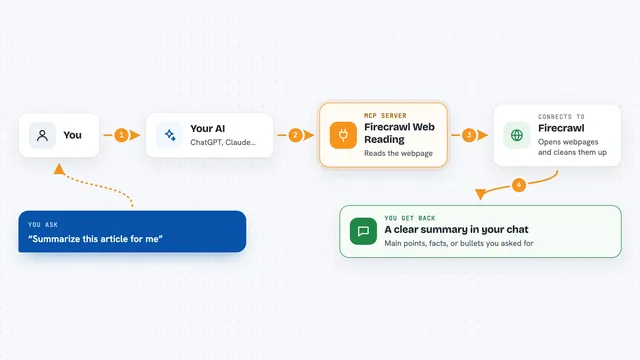
You ask your AI to read a page in your browser. The AI calls Browser Buddy, which talks to a Chrome extension running in your normal Chrome window. The extension grabs the readable text of the page, sends it back through the helper, and your AI uses it to answer you. For a link, it opens a background tab with your logins, reads the text, then closes the tab. Nothing goes to a company server; the text just lands in your chat.
What you can do with it
- Read the page in your currently active Chrome tab
- Open a URL in a background tab using your real logins
- Pull text from pages that block other tools with a login wall
- Check a private GitHub issue or a members-only doc
- Read a Reddit thread or forum post you can see
- Get the page title and address along with the body text
Try asking your AI
- “Use browser-buddy to read my active tab.”
- “Use browser-buddy's open_and_read_url to read https://github.com/org/repo/issues/123.”
- “Read this login-only page with browser-buddy and summarize it for me.”
- “What does the page I have open right now say about pricing?”
What it gives back to you
You get the page text back in your chat as a normal answer from your AI, usually with the page address and title. Long pages are cut off at around 60,000 characters and marked as truncated. If something fails, like the page is not readable, the AI tells you that instead.
Before you start
What you need
- Google Chrome or another Chromium browser
- Python 3.9 or newer
- Claude Code set up on your computer
- A few minutes to load the extension and register the helper once
Good to know
It reads with your real browser profile, so the AI can see anything your browser can see; turn on the domain allowlist and only use it with an AI session you trust.
Install it with your AI
Add Browser Buddy MCP server to your AI, no technical skills needed
You don't install anything by hand. You copy one prompt, paste it into an AI that can work on your computer, and it checks, installs and connects the server for you, asking you when it needs something.
Sign in to get the install prompt
Members get a ready-made prompt that lets the Claude desktop app check Browser Buddy MCP server, install it and connect it for them, step by step. You don't need any technical skills: you copy, paste and answer a few questions. Your connected AI can also find and install any of the 4,609 MCP servers here for you.
Who it's for
People who use Claude Code and want it to read pages behind a login, like developers checking private issues or docs, and anyone tired of getting blocked on normal sites.