MCP server · Research
Yellow Pages MCP server
by HasData
Lets your AI search Yellow Pages for local businesses and pull up full listing details for you.

This is a small helper that connects your AI assistant to Yellow Pages, the directory site full of local business listings. Once it is set up, you can ask your AI to find plumbers in Austin or roofers in your zip code, and it will go look them up for you. It is handy for anyone who needs to build a list of local businesses, compare them, or check what one business offers.
What is an MCP server? The 30-second version
On its own, your AI can only chat with you using what it already knows. An MCP server is a small helper program that gives your AI a new skill or a connection to an outside service. This one connects your AI to Yellow Pages, so it can search listings and read business pages when you ask. You do not need to install anything on your own computer, because this helper runs online and you just point your AI at it.
What this MCP server does
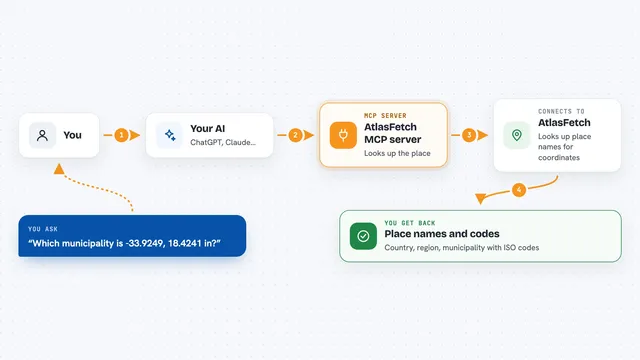
You ask your AI something like find HVAC contractors in this zip code. Your AI passes that request to this helper, which goes to Yellow Pages and pulls back a page of matching businesses. You get a list with names, phones, addresses, categories, ratings and how long each business has been around. If you want more on one business, your AI can ask the helper to open that listing and bring back the description, services, brands, payment methods and photos.
 Click to zoom
What you can do with it
- Find local businesses by type and city, like plumbers in Austin, TX
- Compare businesses by rating or by how long they have been in business
- Pull a full listing to see services, brands and payment methods
- Collect phone numbers and addresses for a prospect list
- Check which businesses are open right now or have set hours
- Gather photos and descriptions from a single business page
- Sort results by rating, distance or name instead of relevance
Try asking your AI
- “Find plumbers in Austin, TX and rank them by rating against review count.”
- “List every HVAC contractor in this zip code with a phone number and hours.”
- “Read this Yellow Pages listing and tell me which brands they service.”
- “Pull page 2 and 3 of roofers in Austin and merge them into one list.”
What it gives back to you
You get answers right in your chat, usually as a list or a short summary your AI writes for you. A search returns up to 30 businesses with their name, phone, address, categories, rating and review count where Yellow Pages shows them. A single listing returns the full description, service list, brands, payment methods and photo links. Your AI can then sort, filter or combine those results however you ask.
Before you start
What you need
- An MCP client like Claude Desktop, Claude Code, Cursor, Windsurf or VS Code
- A HasData API key (a kind of password for apps; you get one free from the HasData dashboard, no card needed)
Good to know
Each search or listing lookup uses 10 credits from your HasData account, so a long list of businesses can add up quickly.
Install it with your AI
Add Yellow Pages MCP server to your AI, no technical skills needed
You don't install anything by hand. You copy one prompt, paste it into an AI that can work on your computer, and it checks, installs and connects the server for you, asking you when it needs something.
Sign in to get the install prompt
Members get a ready-made prompt that lets the Claude desktop app check Yellow Pages MCP server, install it and connect it for them, step by step. You don't need any technical skills: you copy, paste and answer a few questions. Your connected AI can also find and install any of the 4,361 MCP servers here for you.
Who it's for
Anyone who needs to find and compare local businesses, like salespeople building prospect lists, marketers checking competitors, or researchers gathering local data.