MCP server · Research · official
IPGeolocation.io MCP server
by IPGeolocation · official
Lets your AI look up where an IP address is, who owns it, and whether it looks risky.
This is a small helper that connects your AI assistant to IPGeolocation.io, a service that knows about IP addresses. Once it is set up, you can ask your AI things like where an IP address is located or whether it is hiding behind a VPN. It is handy for anyone who deals with website visitors, log files, or suspicious traffic, even if you are not technical.
What is an MCP server? The 30-second version
On its own, your AI can only chat with you using what it already learned. An MCP server is a small helper program that gives your AI a new skill or a connection to an outside service. This one connects your AI to IPGeolocation.io, so when you ask about an IP address, your AI can actually look it up there and bring the answer back to you. You do not need to understand how it works inside; you just add it once and then ask questions in plain words.
What this MCP server does
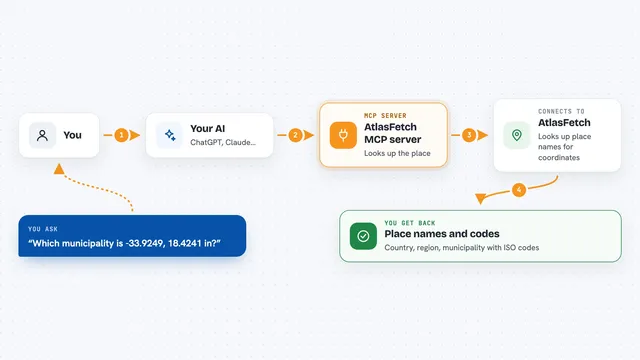
You ask your AI a question about an IP address, like where it is or who owns it. Your AI passes that request to this helper program running quietly on your computer. The helper talks to IPGeolocation.io over the internet and gets the details back. Then your AI shows you the answer in the chat, in normal sentences. Some tools also check whether an IP looks like a VPN, proxy, or bot, and some convert times between cities.
What you can do with it
- Find the city and country for an IP address
- Check if an IP is using a VPN, proxy, or Tor
- Look up which company or network owns an IP
- Convert a time from one city to another
- Get sunrise and sunset times for a place and date
- Read the browser and device from a user agent string
- Find the abuse contact email for an IP
Try asking your AI
- “Where is 8.8.8.8 located?”
- “Is 2.56.12.11 using a VPN or proxy?”
- “Who owns the IP 49.12.212.42?”
- “Convert 2026-03-07 09:30 from New York to Tokyo time”
- “What browser and device is this user agent? Mozilla/5.0 (Windows NT 10.0; Win64; x64) AppleWebKit/537.36 (KHTML, like Gecko) Chrome/122.0.0.0 Safari/537.36”
What it gives back to you
You get back plain answers in the chat, like the city and country for an IP, or a short list of security flags such as VPN or Tor. For time conversions, you get the converted time and date. For user agents, you get the browser, device, and operating system. Some tools can also return longer lists, like several IPs checked at once, which your AI can show as a table or summary.
Before you start
What you need
- An IPGeolocation.io API key (a kind of password for apps; you can sign up for a free one on their site)
- Node.js 22 or newer installed on your computer
- A client that can run local MCP servers, like Claude Desktop, Cursor, or VS Code
Good to know
Some lookups use credits from your IPGeolocation.io account, so heavy use or bulk checks can use up your free daily allowance or cost money on paid plans.
Install it with your AI
Add IPGeolocation.io MCP server to your AI, no technical skills needed
You don't install anything by hand. You copy one prompt, paste it into an AI that can work on your computer, and it checks, installs and connects the server for you, asking you when it needs something.
Sign in to get the install prompt
Members get a ready-made prompt that lets the Claude desktop app check IPGeolocation.io MCP server, install it and connect it for them, step by step. You don't need any technical skills: you copy, paste and answer a few questions. Your connected AI can also find and install any of the 4,609 MCP servers here for you.
Who it's for
Anyone who works with website traffic, logs, or security checks, like support agents, marketers, or IT helpers, even without a technical background.