MCP server · Social media
Discord MCP server
by jaimenbell
Lets your AI read your Discord server's channels, roles and permissions, and change them if you allow it.
This is a small helper that connects your AI assistant to Discord, the chat app many teams use. Once it is set up, you can ask your AI things like which channels and roles exist on your server, instead of clicking around yourself. It is handy for anyone who runs or helps manage a Discord community.
What is an MCP server? The 30-second version
On its own, your AI can only chat with you. An MCP server is a small helper program that gives your AI a new skill or a connection to an app or service. This one connects your AI to Discord, so it can look things up there or make changes for you when you ask. You set it up once, and after that your AI just uses it quietly in the background.
What this MCP server does
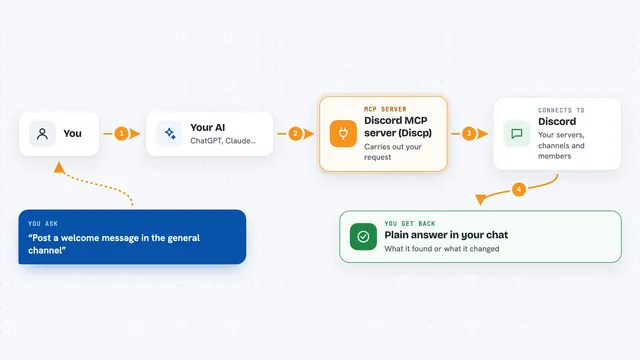
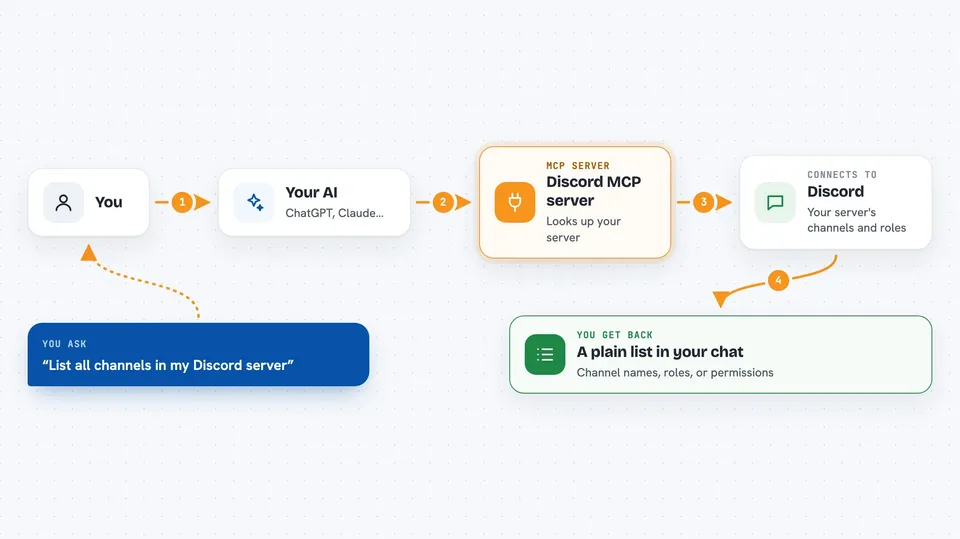
You ask your AI a question about your Discord server, like which channels exist. Your AI passes that request to this helper program. The helper then talks to Discord's own systems using a bot token you gave it. Discord sends back the details, and your AI turns them into a plain answer in your chat. By default it only reads; it can also make changes, but only if you turn that on yourself.
 Click to zoom
What you can do with it
- List every channel in a Discord server
- List all roles in a server
- List only the category channels
- Check which roles and members are allowed or blocked on one channel
- Check which roles a specific member has
- Create or rename channels and roles (only if you turn write mode on)
- Post a message to a text channel (only if you turn write mode on)
Try asking your AI
- “List all the channels in my Discord server with id 123456789012345678”
- “What roles exist on my server and what colors are they?”
- “Which roles does member 987654321098765432 have?”
- “Show me the permission settings on channel 111222333444555666”
What it gives back to you
You get back a clean list or summary in your chat, like channel names, role names and colors, or which roles a member has. If something goes wrong, you get a short plain error message instead of a crash, for example that the bot token is missing or that the bot is not allowed to do that. If write mode is on and you ask for a change, it tells you what it did.
Before you start
What you need
- A Discord bot token (a kind of password for your bot; you create it in Discord's developer settings)
- Python installed on your computer
- The Claude desktop app or another AI app that supports MCP servers
- The bot must already be invited to the server you want to look at
Good to know
The write tools can change or permanently delete things on your real Discord server, so only turn them on when you mean it, and remember that delete_channel cannot be undone.
Install it with your AI
Add Discord MCP server to your AI, no technical skills needed
You don't install anything by hand. You copy one prompt, paste it into an AI that can work on your computer, and it checks, installs and connects the server for you, asking you when it needs something.
Sign in to get the install prompt
Members get a ready-made prompt that lets the Claude desktop app check Discord MCP server, install it and connect it for them, step by step. You don't need any technical skills: you copy, paste and answer a few questions. Your connected AI can also find and install any of the 4,361 MCP servers here for you.
Who it's for
People who run or help manage a Discord community and want to check channels, roles and permissions without clicking through the app.