MCP server · Email
MailFlat MCP server
by MailFlat
Give your AI its own email inbox so it can receive one-time codes, send mail, and manage calendar invites.

MailFlat is a service that gives you email inboxes made for AI assistants. This MCP server connects your AI to MailFlat so it can open an inbox, wait for a one-time code to arrive, send mail, and handle calendar invitations. It is handy if you use tools that email you a code to log in, or if you want your AI to send and receive messages on your behalf.
What is an MCP server? The 30-second version
On its own, your AI can only chat with you. An MCP server is a small helper program that gives your AI a new skill or a connection to an app or service. This one connects your AI to MailFlat, so when you ask it to check an inbox or send a message, it can actually do that for you. You set it up once, and after that your AI just uses it when needed.
What this MCP server does
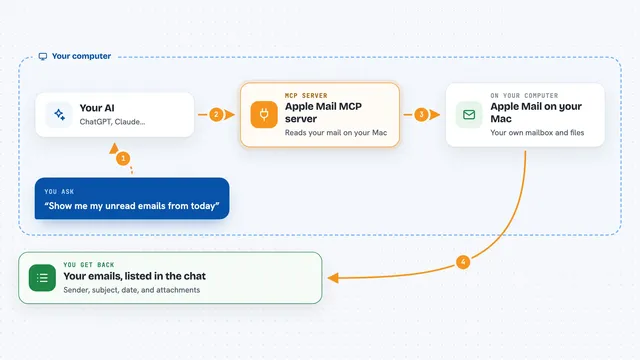
You ask your AI to do something with email, like create an inbox or wait for a code. Your AI passes that request to this helper program. The helper talks to MailFlat over the internet, using your MailFlat API key to prove it is you. MailFlat does the work, like opening an inbox or fetching a message, and sends the result back. Your AI then shows you the answer in the chat, like the code it found or a confirmation that mail was sent.
 Click to zoom
What you can do with it
- Create a new email inbox with a label and a retention window
- Wait for a one-time code to arrive and return it
- Send a signed email from one of your inboxes
- Reply to a message so it stays in the same conversation
- Read messages that arrived in an inbox
- Accept or decline a calendar invitation
- Schedule a meeting and email the invitations
- Delete messages or whole inboxes when you are done
Try asking your AI
- “Create a new inbox called signup-test and wait for a one-time code for up to 2 minutes”
- “Send an email from my inbox to alice@example.com with subject Hello and body Just checking in”
- “Check my inbox for any new messages and tell me what they say”
- “Accept the calendar invite from bob@example.com and add a comment saying I will be there”
What it gives back to you
It gives you back plain answers in the chat. For example, it can show you the code it found, a list of messages with their subjects and senders, or a confirmation that an email was sent. If you ask for calendar events, it returns the meetings and your response to each. Everything appears as text you can read right away.
Before you start
What you need
- A MailFlat account
- An API key from your MailFlat dashboard under Agents
- Python installed on your computer if you want to run it yourself (the uvx command handles this for you)
Good to know
This server can send emails, delete inboxes and messages, and change calendar events, so double-check what you ask it to do before it acts.
Install it with your AI
Add MailFlat MCP server to your AI, no technical skills needed
You don't install anything by hand. You copy one prompt, paste it into an AI that can work on your computer, and it checks, installs and connects the server for you, asking you when it needs something.
Sign in to get the install prompt
Members get a ready-made prompt that lets the Claude desktop app check MailFlat MCP server, install it and connect it for them, step by step. You don't need any technical skills: you copy, paste and answer a few questions. Your connected AI can also find and install any of the 4,066 MCP servers here for you.
Who it's for
Anyone who wants their AI to handle email tasks like reading codes, sending messages, or managing calendar invites without doing it by hand.