MCP server · Email
AgentMail MCP server
by agentmail-to
Let your AI create email inboxes and send, read, and reply to messages for you.

AgentMail MCP is a helper that gives your AI its own email address. You connect it once, and then your AI can set up inboxes, send messages, and read what comes back. It is handy if you want an assistant to handle email for you without you copying and pasting everything by hand.
What is an MCP server? The 30-second version
On its own, your AI can only chat with you. It cannot open your email or send anything. An MCP server is a small helper program that gives your AI a new skill or a connection to an app or service. This one connects your AI to AgentMail, so it can create inboxes and work with email when you ask it to.
What this MCP server does
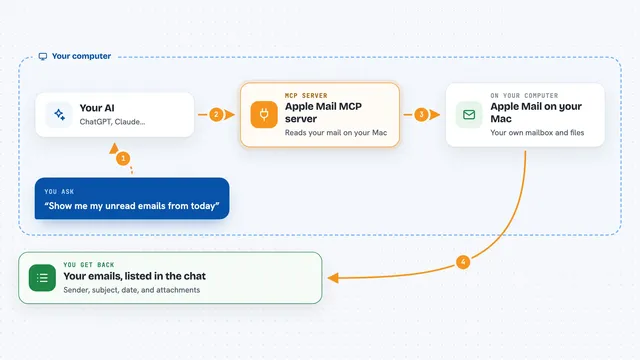
You ask your AI to do something with email, like set up a new inbox or send a message. Your AI passes that request to the AgentMail MCP server. The server talks to AgentMail, which handles the actual email. Then the answer comes back to your AI, and your AI tells you what happened in the chat.
 Click to zoom
What you can do with it
- Create a new email inbox on the spot
- Send an email from that inbox
- Check what messages arrived
- Read the contents of an email
- Reply to a message
- Act on incoming email based on what it says
Try asking your AI
- “Create a new inbox called support and tell me the address”
- “Send an email to jane@example.com saying the report is ready”
- “Check my AgentMail inbox and summarize any new messages”
- “Reply to the last email from the customer and say we will look into it”
What it gives back to you
You get answers in plain chat: the email address of a new inbox, a list of messages, a summary of what someone wrote, or a confirmation that a message was sent. When it reads an email, it shows you the text so you can decide what to do next. Everything appears right in the conversation, no separate app needed.
Before you start
What you need
- An AgentMail account
- An AgentMail API key (a kind of password for apps; AgentMail gives you one in your account settings)
Good to know
It can send real emails and create inboxes on your AgentMail account, so check what your AI is about to send before you let it go.
Install it with your AI
Add AgentMail MCP server to your AI, no technical skills needed
You don't install anything by hand. You copy one prompt, paste it into an AI that can work on your computer, and it checks, installs and connects the server for you, asking you when it needs something.
Sign in to get the install prompt
Members get a ready-made prompt that lets the Claude desktop app check AgentMail MCP server, install it and connect it for them, step by step. You don't need any technical skills: you copy, paste and answer a few questions. Your connected AI can also find and install any of the 4,609 MCP servers here for you.
Who it's for
Anyone who wants an AI assistant to handle email, like support teams, small business owners, or people automating replies.