MCP server · Research
Google Maps Places Scraper MCP server
by mambalabsdev
Let your AI search Google Maps and hand you a tidy list of places with phone, website, address, rating and hours.
This is a small helper that lets your AI look up places on Google Maps and give you the details in a neat list. You ask in plain words, and it comes back with one row per place: phone, website, address, rating, hours and more. It is handy if you do sales, marketing or research and often need lists of local businesses.
What is an MCP server? The 30-second version
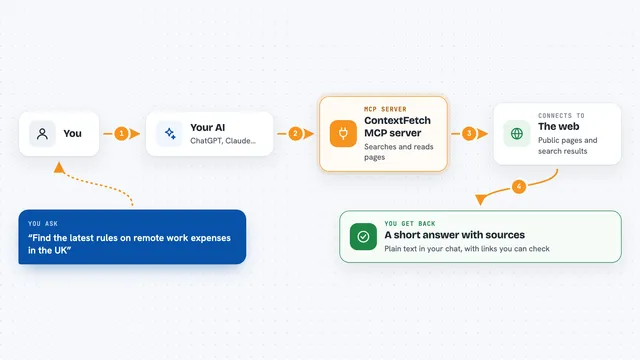
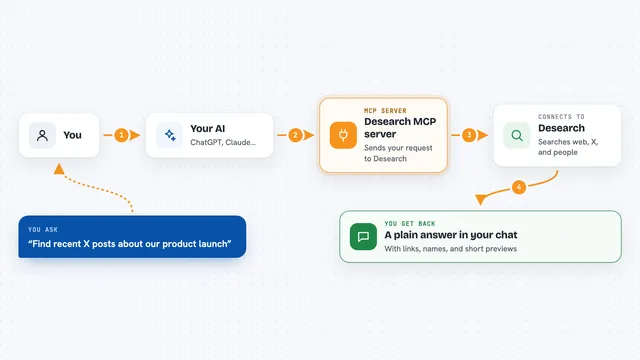
On its own, your AI can only chat with you. An MCP server is a small helper program that gives your AI a new skill or a connection to an app or service. This one connects your AI to Google Maps place data, so it can search for businesses and look up details for you. You just ask, and the helper does the looking up behind the scenes.
What this MCP server does
You ask your AI something like find coffee shops in Austin with phone and website. The AI passes that request to this helper. The helper starts a job on Apify, a service that runs the actual Google Maps search, and waits for it to finish. When the job is done, the helper hands the results back to your AI as rows, one row per place. Your AI then shows you those rows in the chat, or turns them into a table or summary.
What you can do with it
- Search Google Maps for a type of business in a city
- Get phone numbers and websites for each place found
- Look up details for a place you already know by its Google place ID or Maps link
- Collect addresses, coordinates, categories, ratings and review counts
- Get opening hours and other attributes for each place
- Limit results to one country so you do not get places with the same name elsewhere
- Set a spending cap so a run stops before it costs more than you want
Try asking your AI
- “Find 20 coffee shops in Austin, TX with their phone and website.”
- “Look up this Google place ID and give me its hours.”
- “Get me 50 dentists in Berlin, Germany with ratings and addresses.”
- “Search for plumbers in Portland, Oregon and list their websites.”
What it gives back to you
You get one row per place, shown in the chat as a list or table. Each row can include the name, phone, website, address, coordinates, categories, rating, review count, hours and attributes. If you asked for a summary, you also get summary rows at the end. The AI can then filter, sort or summarise those rows for you.
Before you start
What you need
- Node.js 18 or newer on your computer
- A free Apify account
- An Apify API token (a kind of password for apps; you copy it from your Apify account page)
- An MCP client such as Claude Desktop or Cursor
Good to know
Each place row and each run start costs a small amount on your Apify account, so set a spending cap if you want to be safe.
Install it with your AI
Add Google Maps Places Scraper MCP server to your AI, no technical skills needed
You don't install anything by hand. You copy one prompt, paste it into an AI that can work on your computer, and it checks, installs and connects the server for you, asking you when it needs something.
Sign in to get the install prompt
Members get a ready-made prompt that lets the Claude desktop app check Google Maps Places Scraper MCP server, install it and connect it for them, step by step. You don't need any technical skills: you copy, paste and answer a few questions. Your connected AI can also find and install any of the 4,960 MCP servers here for you.
Who it's for
Sales people, marketers, recruiters and researchers who often need lists of local businesses with contact details.