MCP server · Research
Outbound Infrastructure Fingerprint MCP server
by mambalabsdev
Lets your AI check whether a company runs cold email outbound, on what stack, and which lookalike sending domains sit behind it.
This is a small helper that connects your AI assistant to the Outbound Infrastructure Fingerprint tool from Mamba Labs. You give it a company domain, and it tells you whether that company runs cold email outbound and what it uses to send. It is handy for sales, marketing and research people who want a quick read on a prospect's email setup.
What is an MCP server? The 30-second version
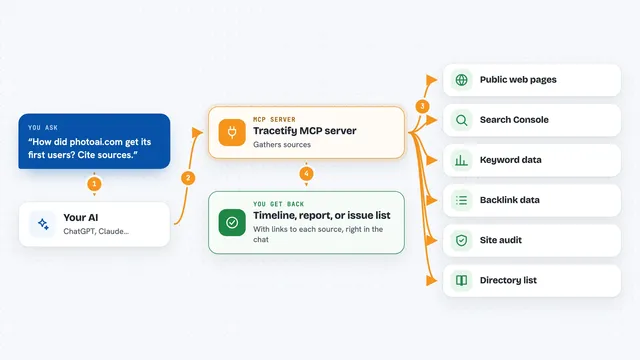
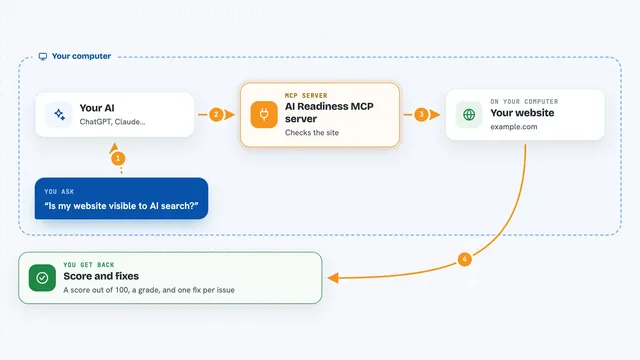
On its own, your AI can only chat with you. An MCP server is a small helper program that gives your AI a new skill or a connection to an app or service. This one connects your AI to the Mamba Labs Outbound Infrastructure Fingerprint service on Apify, so the AI can look up a company's outbound email setup for you when you ask. You do not need to understand how it works under the hood, you just ask in plain words.
What this MCP server does
You ask your AI something like whether a company runs cold email outbound. The AI passes the company domain to this helper. The helper talks to the Mamba Labs fingerprint service, which scans the company's sending domains, mail records and platform signals. The result comes back as a row of findings, and your AI explains it to you in the chat.
What you can do with it
- Check whether a company runs cold email outbound
- See which sending domains and lookalike domains sit behind a brand
- Spot the sending platforms and inbox providers in use
- Look at SPF, DKIM and DMARC status for a domain
- Check several company domains in one go
- See whether a warmup setup is detected
- Get a confidence level and quotable evidence for each finding
Try asking your AI
- “Does acme.com run cold email outbound, and on what stack?”
- “Check these domains for outbound infrastructure: stripe.com, notion.so, ramp.com”
- “What sending domains and platforms sit behind getcompany.com?”
- “Run a deliverability check on example.com and tell me the health score”
What it gives back to you
For each domain you get a row with a verdict like program, light, none or unknown, plus a confidence level. You also get lists of sending domains, registration clusters, sending platforms, infrastructure vendors and any evidence strings. Your AI shows this in the chat as a short summary, a table or a list, depending on how you ask.
Before you start
What you need
- An Apify account with credits
- An Apify API token (a kind of password for apps; you get one free from your Apify account page)
- Node.js installed on your computer if you run it locally
Good to know
Each domain you analyze costs Apify credits, and domains with no signals still count as analyzed, so keep an eye on your spending.
Install it with your AI
Add Outbound Infrastructure Fingerprint MCP server to your AI, no technical skills needed
You don't install anything by hand. You copy one prompt, paste it into an AI that can work on your computer, and it checks, installs and connects the server for you, asking you when it needs something.
Sign in to get the install prompt
Members get a ready-made prompt that lets the Claude desktop app check Outbound Infrastructure Fingerprint MCP server, install it and connect it for them, step by step. You don't need any technical skills: you copy, paste and answer a few questions. Your connected AI can also find and install any of the 4,609 MCP servers here for you.
Who it's for
Sales, marketing and research people who want a quick read on a company's cold email setup before reaching out.