MCP server · Research
People Finder MCP server
by mambalabsdev
Ask your AI to find people at a company by role, seniority, and department, with verified work emails.
This is a small helper that lets your AI look up people who work at a company. You give it a company name, website address, or LinkedIn page, and say what kind of people you want, like sales leaders or marketing managers. It is handy if you do outreach, recruiting, or research and you would rather ask in plain words than click around a website.
What is an MCP server? The 30-second version
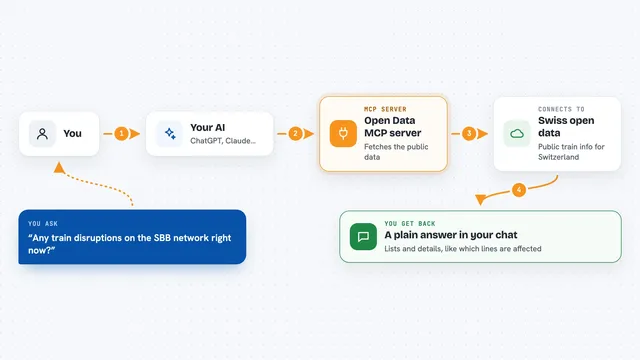
On its own, your AI can only chat with you. It cannot go and look things up in other apps or services. An MCP server is a small helper program that gives your AI one new skill or one new connection. This one connects your AI to a people-finding service called People Finder, which runs on a platform called Apify. Once it is connected, you just ask, and your AI uses this helper to go get the answer for you.
What this MCP server does
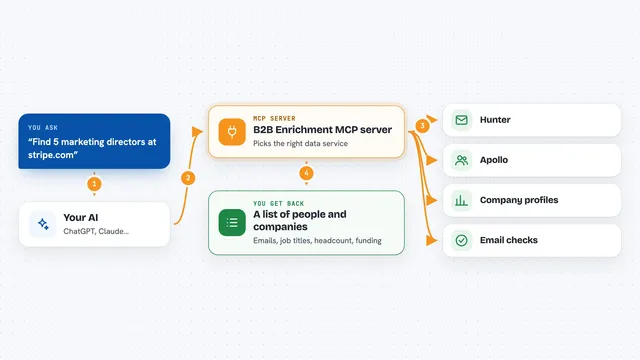
You ask your AI something like find the heads of marketing at stripe.com. Your AI passes that request to this helper, which sends it to the People Finder service on Apify. That service searches public sources and builds a list of people who match your filters, like job title, seniority level, department, and country. If you asked for emails, it also tries to find a work email for each person and can check whether that email is likely to work. Then the list comes back to your AI, and your AI shows it to you in the chat.
What you can do with it
- Find people at a company by job title, like VP Sales or Head of Growth
- Filter by seniority level and department
- Limit results to people in certain countries
- Get a work email for each person found, checked for deliverability
- Exclude job titles you do not want, like intern or assistant
- Skip people you have already contacted by leaving out their LinkedIn profiles
- Set a maximum number of people so you control the cost
Try asking your AI
- “Find the heads of marketing at stripe.com”
- “Who are the VPs of sales at Notion, and what are their work emails?”
- “List 10 engineers in the Netherlands who work at Adyen”
- “Find the CFO at shopify.com but skip anyone whose title says assistant”
What it gives back to you
You get a list of people, one row per person, with their name, current title, company, and location. If you asked for emails, each row also shows the work email and whether it looks deliverable. Your AI can then summarize the list, group it, or just show it to you as a table in the chat. If something goes wrong, like a wrong company name or a used-up balance, you get a clear error message instead of an empty list.
Before you start
What you need
- An Apify account and an Apify token (a kind of password for apps; you get one free from the Apify website)
- The Claude desktop app or another AI app that supports MCP servers
- Node.js installed on your computer (the free software that runs this helper)
- Optional paid keys from other services if you want emails, verification, or better search coverage
Good to know
Every search costs money on your Apify account, so set a maximum number of people and a spending cap before you run big searches.
Install it with your AI
Add People Finder MCP server to your AI, no technical skills needed
You don't install anything by hand. You copy one prompt, paste it into an AI that can work on your computer, and it checks, installs and connects the server for you, asking you when it needs something.
Sign in to get the install prompt
Members get a ready-made prompt that lets the Claude desktop app check People Finder MCP server, install it and connect it for them, step by step. You don't need any technical skills: you copy, paste and answer a few questions. Your connected AI can also find and install any of the 4,361 MCP servers here for you.
Who it's for
Salespeople, recruiters, founders, and researchers who need to find the right people at a company and reach out to them.