MCP server · Analytics
DBU Waste Finder MCP server
Ask your AI to find wasted Databricks spending and suggest fixes, without changing anything.
This is a helper that connects your AI assistant to your Databricks billing and usage records. It lets you ask plain questions like why your bill jumped, and it comes back with a list of likely waste and some suggested fixes. It is handy for data teams and managers who pay for Databricks and want a quick, safe look at where the money goes.
What is an MCP server? The 30-second version
On its own, your AI can only chat with you. An MCP server is a small helper program that gives your AI a new skill or a connection to an app or service. This one connects your AI to your Databricks system tables, which are Databricks' own records of usage and cost. Once it is connected, you can ask your AI about your Databricks spending and it can look things up there for you.
What this MCP server does
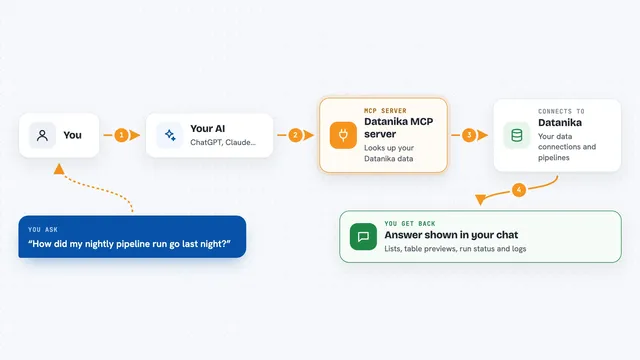
You ask your AI a question about your Databricks costs, for example why the bill went up. The AI passes the question to this helper program running on your own computer. The helper reads your Databricks usage and cost records using a token you give it. It adds up the numbers, spots patterns like idle warehouses or jobs running on expensive compute, and sends a summary back. Your AI then explains the result to you in the chat and can suggest a fix as a code snippet or a change to your configuration, but it never applies anything.
What you can do with it
- See your total Databricks cost over a chosen number of days
- Find the top cost drivers like jobs, clusters, and warehouses
- Spot idle or oversized clusters and warehouses
- Check for clusters and warehouses with auto-stop turned off
- Find jobs running on all-purpose compute instead of job compute
- Get suggestions for Delta table maintenance like OPTIMIZE or VACUUM
- Get a proposed fix as a code snippet or configuration change to review
Try asking your AI
- “Why did our Databricks bill jump last month?”
- “Show me the top 10 things costing us money in Databricks over the last 30 days.”
- “Are there any idle SQL warehouses we can shut down?”
- “Which jobs are running on all-purpose compute and how much could we save by moving them?”
What it gives back to you
You get answers in the chat as lists, short summaries, and numbers. For example, it might list the top cost drivers with dollar amounts, or show a table of idle warehouses with how idle they are and the estimated waste. It can also give you a suggested fix as a SQL statement or a configuration change, clearly marked as a proposal for you to review. Nothing is changed in your Databricks workspace.
Before you start
What you need
- A Databricks workspace with system tables enabled
- A Databricks access token with read-only access to system tables
- An AI client that supports MCP, like Claude Desktop or Cursor
- Python 3.10 or newer on your computer
Good to know
It reads your Databricks usage and cost data, including owner email addresses, and sends the results to your AI provider, so only connect it to an AI client you trust and use a read-only token.
Install it with your AI
Add DBU Waste Finder MCP server to your AI, no technical skills needed
You don't install anything by hand. You copy one prompt, paste it into an AI that can work on your computer, and it checks, installs and connects the server for you, asking you when it needs something.
Sign in to get the install prompt
Members get a ready-made prompt that lets the Claude desktop app check DBU Waste Finder MCP server, install it and connect it for them, step by step. You don't need any technical skills: you copy, paste and answer a few questions. Your connected AI can also find and install any of the 4,960 MCP servers here for you.
Who it's for
Data engineers, platform teams, and managers who pay for Databricks and want a quick, safe way to understand and reduce waste.