
MCP server · Analytics
Metrx MCP server
by metrxbots
Lets your AI track what your AI agents cost, find waste, and suggest cheaper models.
Metrx is a helper that lets your AI assistant look at how much money your AI agents are spending. You can ask plain questions like how much did I spend this week, and it pulls the numbers together for you. It is handy if you run AI agents at work and want to know where the money goes.
What is an MCP server? The 30-second version
On its own, your AI can only chat with you. An MCP server is a small helper program that gives your AI a new skill or a connection to another service. This one connects your AI to Metrx, a service that tracks AI agent costs. Once connected, your AI can look up your spending, check budgets, and suggest cheaper options when you ask.
What this MCP server does
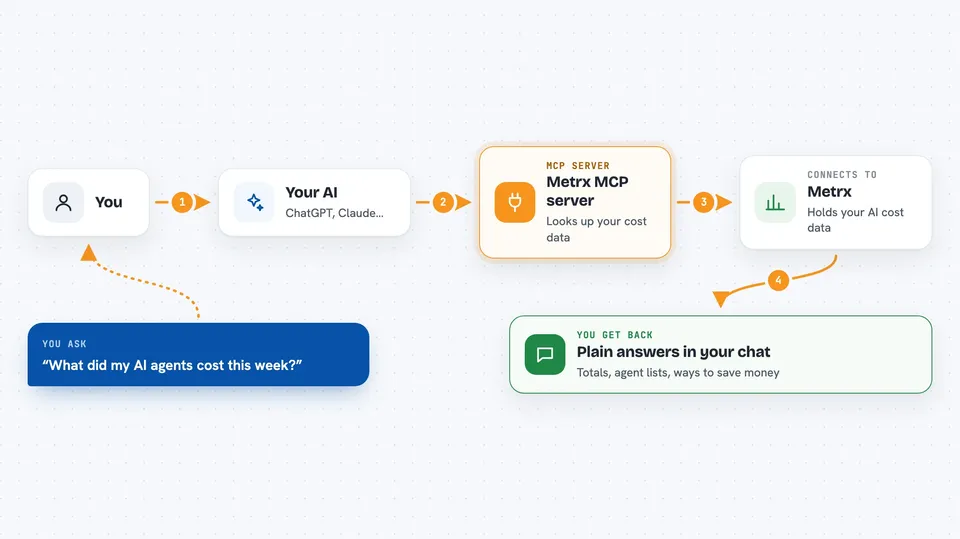
You ask your AI a question about your AI agents, like how much you spent this week. Your AI sends that request to this helper program. The helper talks to Metrx, which holds your cost data. Metrx sends back numbers, lists, and suggestions, and your AI shows them to you in the chat. You can also ask it to set a budget or start a test comparing two models.
 Click to zoom
What you can do with it
- See how much your AI agents spent this week or month
- List all your agents with their costs and health
- Get suggestions for cheaper models that do the same job
- Set a spending budget and pause an agent when it hits the limit
- Run a scan that looks for wasted money across your agents
- Start a test comparing two models side by side
- Generate a report that shows the return on your AI spending
Try asking your AI
- “What was my AI cost this week?”
- “Am I overpaying for my agents?”
- “Set a monthly budget of 500 dollars for my support agent”
- “Run a cost leak scan on all my agents”
What it gives back to you
You get back plain answers in the chat: totals, lists of agents with their costs, comparisons of model prices, and suggestions for saving money. Budget checks show how much you have spent against your limit. Reports come back as summaries you can read or share. Some actions, like setting a budget or starting a test, will tell you they were done.
Before you start
What you need
- A free Metrx account and API key from app.metrxbot.com/sign-up (an API key is a kind of password for apps)
- Node.js installed on your computer if you run it locally
- An MCP-compatible AI app like Claude Desktop, Cursor, or Windsurf
Good to know
This can change your setup: it can set budgets, pause agents, and start or stop model tests, so review what it is about to do before you say yes.
Install it with your AI
Add Metrx MCP server to your AI, no technical skills needed
You don't install anything by hand. You copy one prompt, paste it into an AI that can work on your computer, and it checks, installs and connects the server for you, asking you when it needs something.
Sign in to get the install prompt
Members get a ready-made prompt that lets the Claude desktop app check Metrx MCP server, install it and connect it for them, step by step. You don't need any technical skills: you copy, paste and answer a few questions. Your connected AI can also find and install any of the 4,609 MCP servers here for you.
Who it's for
People who run AI agents at work and need to keep an eye on what those agents cost.



