MCP server · Research
Pick an Agency MCP server
by Natden444
Let your AI search 47,000+ marketing agencies and match you with ones that fit your brief.

This is a small connector that lets your AI assistant search a big online directory of marketing agencies and suggest ones that match what you need. It is handy if you are looking for help with SEO, ads, social media, or branding and do not want to open twenty browser tabs. You just describe what you are after, and your AI comes back with real agencies and links to their profiles.
What is an MCP server? The 30-second version
On its own, your AI can only chat with you using what it already knows. An MCP server is a small helper program that gives your AI a new skill or a connection to an outside service. This one connects your AI to Pick an Agency, a public directory of marketing agencies with client reviews. Once it is connected, your AI can look up agencies and match them to your brief while you talk.
What this MCP server does
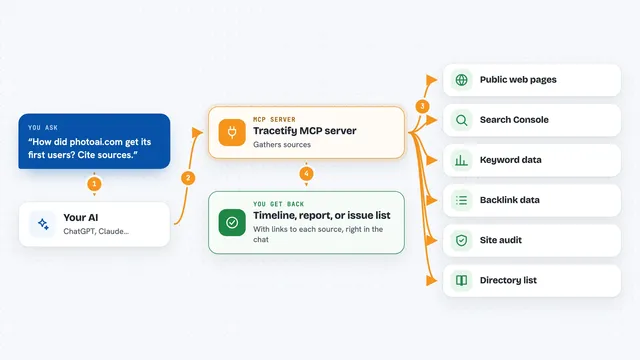
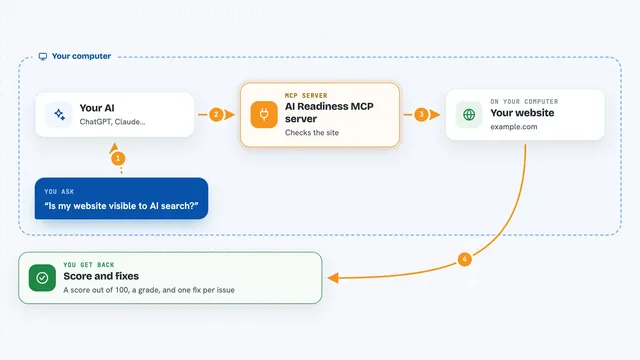
You ask your AI something like find me a social media agency in Paris. Your AI passes that request to this helper, which searches the Pick an Agency directory. The directory looks through its list of agencies, filters by things like service, country, city, industry, and rating, and sends back the closest matches. Your AI then shows you a short list with names, ratings, and links to each agency's profile page.
 Click to zoom
What you can do with it
- Search marketing agencies by service, country, city, industry, or minimum rating
- Get matched with a ranked shortlist of agencies based on your brief
- Look up a single agency's full profile, including reviews and website
- Compare agencies in different cities or countries
- Find agencies in a specific industry, like travel or healthcare
- Pull up recent client reviews for an agency you are considering
Try asking your AI
- “Find the top SEO agencies in the US.”
- “Match me with a social media marketing agency in Paris, budget around $5k per month.”
- “Show me agencies in the UK with a rating of at least 4.5.”
- “Tell me about the agency at slug agence-pickers-paris-paris.”
What it gives back to you
You get back a list of real agencies with their names, ratings, services, and links to their Pick an Agency profile pages. For a single agency lookup, you get a fuller profile with description, website, and recent reviews. The matching tool returns a ranked shortlist based on your brief. It all shows up right in the chat, so you can keep asking follow-up questions.
Before you start
Good to know
It is read-only, so it cannot change or delete anything, but the agency details and reviews come from the directory and you should still check them yourself before hiring anyone.
Install it with your AI
Add Pick an Agency MCP server to your AI, no technical skills needed
You don't install anything by hand. You copy one prompt, paste it into an AI that can work on your computer, and it checks, installs and connects the server for you, asking you when it needs something.
Sign in to get the install prompt
Members get a ready-made prompt that lets the Claude desktop app check Pick an Agency MCP server, install it and connect it for them, step by step. You don't need any technical skills: you copy, paste and answer a few questions. Your connected AI can also find and install any of the 4,609 MCP servers here for you.
Who it's for
Anyone who needs to hire a marketing agency, like a small business owner, a marketing manager, or a founder doing their own outreach.