MCP server · Productivity
FreshRSS MCP server
by ni-c
Lets your AI read and manage your FreshRSS feeds, articles, categories and labels for you.

This is a small helper that connects your AI assistant to FreshRSS, the feed reader you run yourself. Once it is set up, you can ask your AI what is unread, have it read articles to you, mark things as read, or tidy up your subscriptions. It is handy if you already use FreshRSS and want to stop clicking around the web interface for simple chores.
What is an MCP server? The 30-second version
On its own, your AI can only chat with you. An MCP server is a small helper program that gives your AI a new skill or a connection to an app or service. This one connects your AI to your own FreshRSS instance, so it can look things up there and do things for you when you ask. You set it up once, and after that your AI just knows how to talk to your feeds.
What this MCP server does
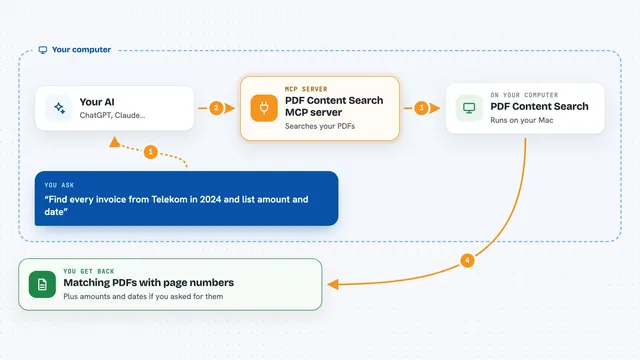
You ask your AI something like what is unread today, and the AI passes that request to this helper. The helper talks to your FreshRSS instance through its built-in API, which is the door FreshRSS opens for other programs. FreshRSS sends back the feeds, articles or counts, and the helper turns them into plain text your AI can read. Your AI then gives you the answer in the chat, or makes the change you asked for, like marking articles as read.
 Click to zoom
What you can do with it
- See which feeds and categories have unread articles
- Read the full text of specific articles
- Mark articles as read, starred, or add labels
- Mark a whole feed or category as read
- Subscribe to a new feed by URL
- Rename a feed or move it to another category
- Export all your subscriptions as an OPML file
Try asking your AI
- “What is unread in my FreshRSS right now?”
- “Show me the latest articles from my News category”
- “Mark everything in my Tech feed as read”
- “Subscribe to https://example.com/feed.xml and put it in my Blog category”
What it gives back to you
You get back plain answers in the chat: lists of feeds with unread counts, article titles with short excerpts or full text, or a short sentence confirming a change. It also returns structured data behind the scenes, so your AI can work with the result without guessing. Nothing is shown as raw web page code; article text is turned into plain words first.
Before you start
What you need
- A FreshRSS instance you can reach, with API access turned on in Settings
- An API password from your FreshRSS profile page (this is separate from your normal login password)
- Node.js 22 or newer if you run it with npx, or Docker if you prefer that
- The URL of your FreshRSS instance and your user name
Good to know
Some tools can change or delete things in your FreshRSS, like marking everything as read or removing a feed and all its stored articles, so check before you approve those actions.
Install it with your AI
Add FreshRSS MCP server to your AI, no technical skills needed
You don't install anything by hand. You copy one prompt, paste it into an AI that can work on your computer, and it checks, installs and connects the server for you, asking you when it needs something.
Sign in to get the install prompt
Members get a ready-made prompt that lets the Claude desktop app check FreshRSS MCP server, install it and connect it for them, step by step. You don't need any technical skills: you copy, paste and answer a few questions. Your connected AI can also find and install any of the 4,361 MCP servers here for you.
Who it's for
People who run their own FreshRSS and want to check or tidy their feeds by just asking their AI.