MCP server · Productivity · official
Dreamwork MCP server
by dreamworkhq · official
Let your AI search live job listings, match them to your resume, and help you apply and track replies.
Dreamwork is a job search service. This helper connects your AI assistant to it, so your AI can look at live job listings, rank them against your resume, and help you prepare and track applications. It is handy if you are job hunting and already use an AI assistant for everyday work.
What is an MCP server? The 30-second version
On its own, your AI can only chat. An MCP server is a small helper program that gives your AI a new skill or a connection to an app, here to Dreamwork. Once it is connected, your AI can look things up in Dreamwork and do things there for you when you ask. You do not install anything complicated. You just add it to your AI app once.
What this MCP server does
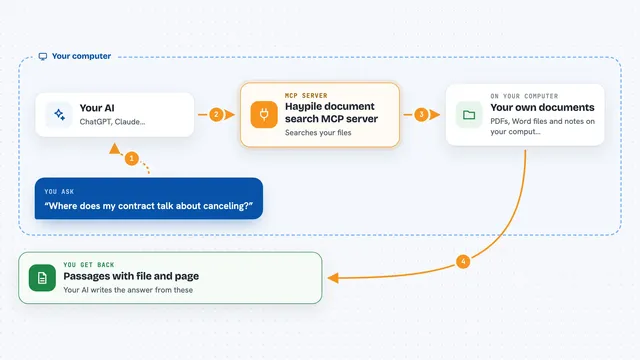
You ask your AI something like find me product manager jobs or rank these listings against my resume. Your AI passes that to this helper. The helper talks to Dreamwork over the internet, which holds the job listings and your account details. Dreamwork sends back the listings, matches, or application updates, and your AI shows them to you in the chat.
What you can do with it
- Browse live job listings without needing an account
- Look up details for a single listing
- Rank job matches against your resume
- Save jobs to a pipeline you can track
- Generate a tailored resume and cover letter
- Apply to a job, with a confirmation step first
- Track applications, replies, and interviews
Try asking your AI
- “Find product manager roles in Berlin posted in the last week”
- “Rank these listings against my resume and show the top five”
- “Tailor my resume and write a cover letter for the third job”
- “What changed in my applications since yesterday”
What it gives back to you
You get answers and lists in the chat. That can be job listings, ranked matches with short reasons, a draft resume or cover letter, or a summary of your pipeline and unread messages. When something changes, like a saved job or a submitted application, your AI tells you it happened. For anything big, like applying or emailing a recruiter, it asks you to confirm first.
Before you start
What you need
- An account on dreamworkhq.com if you want the personal tools like matches, resume help, and applying (a free plan works)
- An API key from your Dreamwork profile page, set as DREAMWORK_API_KEY (a kind of password for apps; you can choose what it is allowed to do)
- The Claude desktop app or another app that supports MCP servers
- Node.js on your computer if you run it with npx, or just use the hosted web address instead
Good to know
It can send emails and submit job applications on your behalf, but only after a confirmation step, so read what it is about to do before you approve it.
Install it with your AI
Add Dreamwork MCP server to your AI, no technical skills needed
You don't install anything by hand. You copy one prompt, paste it into an AI that can work on your computer, and it checks, installs and connects the server for you, asking you when it needs something.
Sign in to get the install prompt
Members get a ready-made prompt that lets the Claude desktop app check Dreamwork MCP server, install it and connect it for them, step by step. You don't need any technical skills: you copy, paste and answer a few questions. Your connected AI can also find and install any of the 4,609 MCP servers here for you.
Who it's for
Job seekers and anyone who uses an AI assistant to help with applications, especially people applying to many roles at once.