MCP server · Research
Arch Linux MCP server
by nihalxkumar
Lets your AI search the Arch Wiki and AUR, check package info, and help install or update packages safely.

This is a small helper that connects your AI assistant to the Arch Linux world. It can look things up in the Arch Wiki, search the AUR (a big community collection of extra packages), and check details about software packages. It is handy if you use Arch Linux, or if you are curious about Arch and want plain answers without digging through pages yourself.
What is an MCP server? The 30-second version
On its own, your AI can only chat with you using what it already learned. An MCP server is a small helper program that gives your AI a new skill or a connection to an app or service. This one connects your AI to the Arch Linux ecosystem, so it can search the Arch Wiki, look up packages, and check your system when you ask. You stay in the chat, and the helper does the looking up behind the scenes.
What this MCP server does
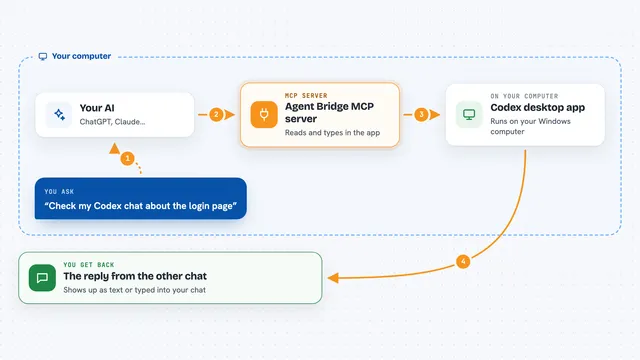
You ask your AI something about Arch Linux, like a package name or an error message. The AI passes that question to this helper program running on your computer. The helper then talks to the Arch Wiki, the AUR, or your local package tools, depending on what you asked. It brings the answer back to the AI, which explains it to you in plain words. Some actions, like installing or removing packages, only work on a real Arch system.
 Click to zoom
What you can do with it
- Search the Arch Wiki for guides and answers
- Search the AUR for community packages
- Look up details about official packages
- Check for available system updates
- Install packages with safety checks
- Analyze a PKGBUILD file for red flags
- Check disk space, failed services, and system info
Try asking your AI
- “Search the Arch Wiki for how to set up a printer”
- “What is the yay package in the AUR and is it safe?”
- “Check if I have any package updates waiting”
- “Analyze the PKGBUILD for this AUR package and tell me if anything looks risky”
What it gives back to you
You get answers in the chat, written in normal language. That can be a short summary of a Wiki page, a list of packages with votes and dates, a list of updates, or a warning if something looks unsafe. For actions like installing or removing packages, it tells you what it did or what it would do.
Before you start
What you need
- Python 3.11 or newer
- uv (a small tool that runs Python programs; the README shows how to get it)
- An MCP client like Claude Desktop, Cursor, or another app that supports MCP
- An Arch Linux system for the install, remove, and system-check features
Good to know
Some tools can install, remove, or change packages on your system, so only use them when you understand what will happen, and keep backups of important files.
Install it with your AI
Add Arch Linux MCP server to your AI, no technical skills needed
You don't install anything by hand. You copy one prompt, paste it into an AI that can work on your computer, and it checks, installs and connects the server for you, asking you when it needs something.
Sign in to get the install prompt
Members get a ready-made prompt that lets the Claude desktop app check Arch Linux MCP server, install it and connect it for them, step by step. You don't need any technical skills: you copy, paste and answer a few questions. Your connected AI can also find and install any of the 4,609 MCP servers here for you.
Who it's for
Arch Linux users and anyone curious about Arch who wants quick, plain answers about packages, updates, and system health without reading long pages.