MCP server · Developer tools
npm package research MCP server
by ofershap
Lets your AI look up npm packages: sizes, downloads, vulnerabilities and dependencies.

This is a small helper that connects your AI assistant to the public npm website, where JavaScript packages live. Once it is set up, you can ask your AI about a package and get real numbers back instead of a guess. It is handy if you work with developers, write about software, or just want to know what a package is before you use it.
What is an MCP server? The 30-second version
On its own, your AI can only chat with you using what it already learned. An MCP server is a small helper program that gives your AI one new skill. This helper gives it a connection to npm, the public library of JavaScript packages. So when you ask about a package, your AI can actually go and look it up for you.
What this MCP server does
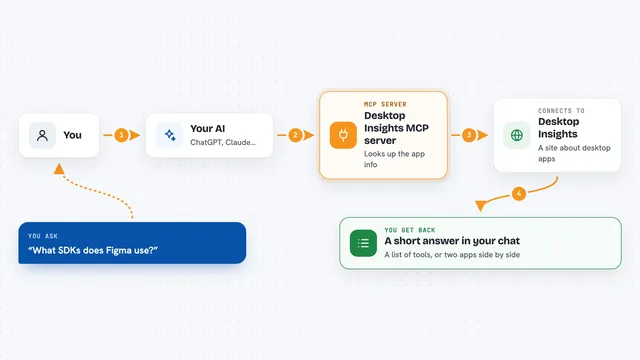
You ask your AI a question about an npm package, like how big it is or how many people download it. Your AI passes that question to this helper. The helper talks to public npm services, including Bundlephobia for sizes and advisory data for vulnerabilities. Then it hands the answer back to your AI, which explains it to you in the chat.
 Click to zoom
What you can do with it
- Search npm for packages by keyword
- Check the bundle size of a package in minified and gzip form
- Compare download counts across several packages
- Look up known vulnerabilities and advisory links
- See a package's description, license, repo and dependencies
- Show the direct dependencies of a package as a tree
- View daily download trends for a package
Try asking your AI
- “Search npm for React state management libraries”
- “What is the bundle size of lodash?”
- “Compare downloads of zustand vs jotai vs valtio”
- “Check for vulnerabilities in express”
- “Show me the dependency tree for next”
What it gives back to you
You get answers in plain chat text. That can be a list of packages, a size in kilobytes, download numbers side by side, a short note about known issues with links, or a simple tree of dependencies. Nothing is changed anywhere; it only reads public information and reports back.
Before you start
What you need
- Node.js installed on your computer (the free program that runs npx)
- An MCP client like Claude Desktop, Cursor or VS Code Copilot
Good to know
It only reads public npm information, so it cannot change or delete anything, but the numbers come from outside services and may occasionally be out of date.
Install it with your AI
Add npm package research MCP server to your AI, no technical skills needed
You don't install anything by hand. You copy one prompt, paste it into an AI that can work on your computer, and it checks, installs and connects the server for you, asking you when it needs something.
Sign in to get the install prompt
Members get a ready-made prompt that lets the Claude desktop app check npm package research MCP server, install it and connect it for them, step by step. You don't need any technical skills: you copy, paste and answer a few questions. Your connected AI can also find and install any of the 4,609 MCP servers here for you.
Who it's for
Developers, technical writers and anyone who needs quick facts about JavaScript packages without opening several browser tabs.