MCP server · Research
Optifeed Radar MCP server
by optifeed
Ask ChatGPT, Claude, Gemini and Perplexity buyer questions and see if AI recommends your brand.

Optifeed Radar is a free, open-source tool that asks real AI engines real buyer questions and checks whether your brand gets named in the answers. It is handy if you do marketing, run a shop, or look after a brand and want to know how visible you are inside AI answers. You can use it from the command line, or connect it to your AI assistant so you can just ask in plain language.
What is an MCP server? The 30-second version
On its own, your AI can only chat with you using what it already knows. An MCP server is a small helper program that gives your AI a new skill or a connection to a service. This one connects your AI to Optifeed Radar, so it can run visibility checks on a website for you. You ask in normal words, and the helper does the checking behind the scenes.
What this MCP server does
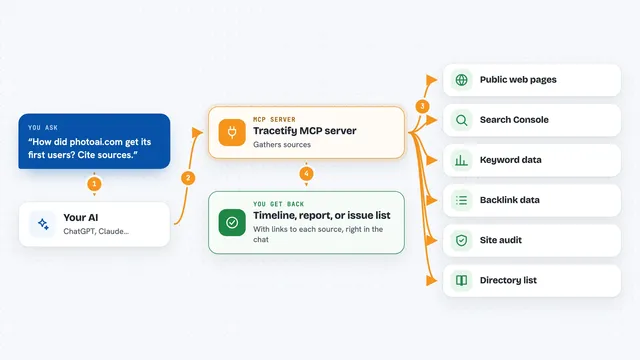
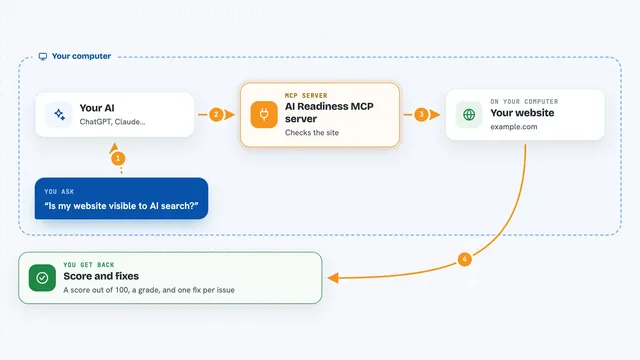
You ask your AI to check a website, for example yourbrand.com. Your AI passes that request to this helper, which then asks real AI engines a set of buyer-style questions. It looks at whether your brand shows up in those answers, where it sits compared to competitors, and which websites the engines cited. Then it hands the results back to your AI, which explains them to you in the chat.
 Click to zoom
What you can do with it
- Run a free readiness audit on a website with no API keys needed
- See which buyer questions your brand should be visible for
- Check whether AI engines recommend your brand, with a cost cap you set
- Pick which engines to check, such as OpenAI and Perplexity only
- Check individual products you name and see the rival products AI mentions instead
- Compare two saved runs to see what changed
- See which domains the AI cited and your share of voice
Try asking your AI
- “Run a free AI-readiness audit on yourbrand.com”
- “What buyer questions should yourbrand.com be visible for?”
- “Check yourbrand.com's AI visibility, quick mode, cap it at 20 cents”
- “Check whether AI recommends my products: Aria 2, Presto X, Brew Mini, for yourbrand.com”
What it gives back to you
You get back a score from 0 to 100 for how visible your brand is in AI answers, plus a breakdown by engine. It also shows which buyer questions you appeared in, your share of voice against competitors, and the websites the engines cited. For products, you get a score per product and the rival products the engines named instead. Everything shows up as text and tables in your chat.
Before you start
What you need
- Node.js 20 or newer
- At least one engine API key, such as an OpenAI key, for the paid checks (the free audit needs no keys)
- An AI app that supports MCP servers, such as Claude Desktop, Claude Code, Cursor or Windsurf
Good to know
The paid checks spend your own API credit, so always set a cost cap before letting your AI start a run.
Install it with your AI
Add Optifeed Radar MCP server to your AI, no technical skills needed
You don't install anything by hand. You copy one prompt, paste it into an AI that can work on your computer, and it checks, installs and connects the server for you, asking you when it needs something.
Sign in to get the install prompt
Members get a ready-made prompt that lets the Claude desktop app check Optifeed Radar MCP server, install it and connect it for them, step by step. You don't need any technical skills: you copy, paste and answer a few questions. Your connected AI can also find and install any of the 4,361 MCP servers here for you.
Who it's for
Marketing people, brand managers, shop owners and SEO or GEO specialists who want to know how AI engines talk about their brand.