MCP server · Developer tools
PolicyForge MCP server
by PolicyForge
Let your AI write and check legal policies like privacy and terms pages from what your code actually does.

PolicyForge is a service that writes legal pages for you, like privacy policies, terms of service, cookie policies and refund policies. This MCP server connects that service to your AI assistant, so you can just ask for a policy in plain words and get a draft back. It is handy for founders, small teams and anyone who has to put a privacy page on a website but is not a lawyer.
What is an MCP server? The 30-second version
On its own, your AI can only chat with you. An MCP server is a small helper program that gives your AI a new skill or a connection to another service. This one connects your AI to PolicyForge, so when you ask for a privacy policy or a compliance check, the AI can actually go and create or inspect it for you. You do not need to learn any new app; you just talk to your AI like you already do.
What this MCP server does
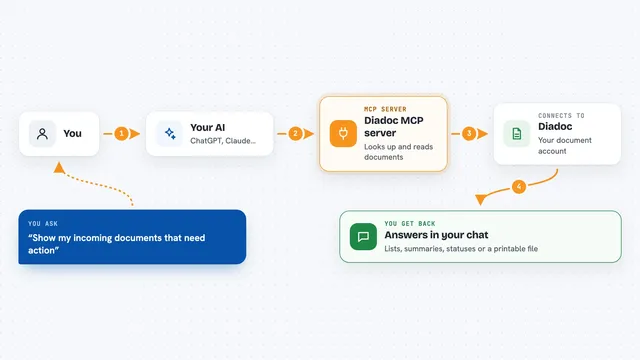
You ask your AI something like "write a privacy policy for my app". The AI uses this helper to look at your project files and figure out what your app really does, like which tools it uses and what data it collects. Then the helper sends that information to PolicyForge, which writes the policy. You get the finished text back in your chat, plus a link where the policy is hosted online. Later, if your code changes, you can ask the AI to check whether your policy still matches.
 Click to zoom
What you can do with it
- Generate a privacy policy, terms of service, cookie policy, refund policy, EULA or disclaimer
- Audit whether your current policy covers everything your code actually does
- Check if your policy has drifted out of date after your code changed
- Update a policy in place so the published link keeps working
- See the version history of a policy and roll back to an older one
- Get copy-paste instructions to add the policy to your website footer
- Check how many policy generations you have left this month
Try asking your AI
- “Generate a GDPR and CCPA privacy policy for this app”
- “Audit our compliance. Does the privacy policy cover everything this code actually does?”
- “Has our privacy policy drifted since we last generated it?”
- “Write a cookie policy for this website and show me how to add it to the footer”
- “How many policy generations do I have left this month?”
What it gives back to you
You get the policy text itself, written out in your chat, plus a link to a hosted copy you can share. For audits and drift checks you get a list of gaps or differences, in plain language. For usage checks you get a simple number, like how many generations are left. When you update a policy, the same link keeps working and the old version is saved.
Before you start
What you need
- A PolicyForge account (free to start, no card needed)
- For the easiest setup, a client that supports OAuth sign-in, like Claude or ChatGPT
- For other clients, an API key from your PolicyForge dashboard (a kind of password that starts with pf_)
- For the local option, Node.js installed on your computer
Good to know
Generated policies are drafts, not legal advice, so have a lawyer review them before you publish, and note that deleting a policy permanently breaks its hosted link.
Install it with your AI
Add PolicyForge MCP server to your AI, no technical skills needed
You don't install anything by hand. You copy one prompt, paste it into an AI that can work on your computer, and it checks, installs and connects the server for you, asking you when it needs something.
Sign in to get the install prompt
Members get a ready-made prompt that lets the Claude desktop app check PolicyForge MCP server, install it and connect it for them, step by step. You don't need any technical skills: you copy, paste and answer a few questions. Your connected AI can also find and install any of the 4,066 MCP servers here for you.
Who it's for
Founders, small teams, indie developers and anyone who needs legal pages on a website but does not have a lawyer on hand.