MCP server · Notes
Noonien shared memory MCP server
by sequico
Give your AI a shared memory that follows you across your computers, with no server to run.
Noonien is a memory helper for your AI. It lets your AI remember facts, people and connections between them, and it keeps that memory the same on every computer you use. It is handy if you work on more than one machine and want your AI to remember the same things everywhere.
What is an MCP server? The 30-second version
On its own, your AI can only chat. It forgets everything the moment you close the window. An MCP server is a small helper program that gives your AI a new skill or a connection to something outside the chat. Noonien is that helper for memory: it gives your AI a place to store and look up what it has learned about your work, and it can share that place with your other computers.
What this MCP server does
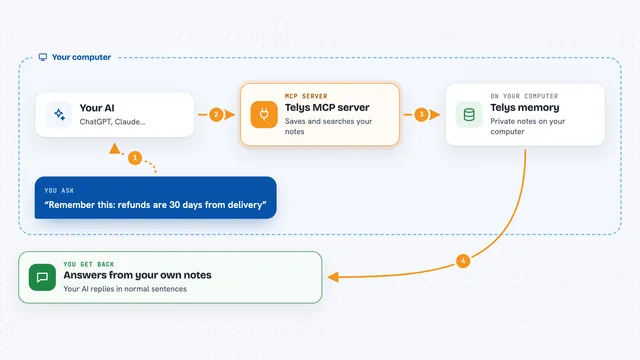
You tell your AI something worth remembering, like a project, a person or a fact. Your AI uses Noonien to write that down in a small file on your computer. When you ask a question later, your AI asks Noonien to look through those notes and find what fits. If you have several computers, Noonien can copy the notes between them so each one has the same picture. You get answers in the chat that are based on everything your AI has been told, not just this one conversation.
What you can do with it
- Remember facts, people and projects your AI should not forget
- Link related things together, like a person and the company they work for
- Search your saved memory for anything you have told your AI before
- Update or correct something your AI remembered earlier
- Combine two entries that turn out to be the same thing
- Keep the same memory on several computers you own
- Import notes from the standard memory server if you already use it
What it gives back to you
You get answers in plain chat, drawn from what your AI has stored. If you ask it to remember something, it confirms it saved it. If you ask a question, it replies with the matching facts and how they connect. You can also ask it to show or export everything it knows, and it will print that as a list.
Before you start
What you need
- Node.js version 22 or newer installed on your computer
- The Noonien package installed once with npm
- A folder on your computer where the memory files live (the default is fine)
- For sharing between computers: a way for them to reach each other, like a VPN or the same home network
Good to know
Your AI can change or delete what is in memory, so it is worth checking before you let it remove things you might still need.
Install it with your AI
Add Noonien shared memory MCP server to your AI, no technical skills needed
You don't install anything by hand. You copy one prompt, paste it into an AI that can work on your computer, and it checks, installs and connects the server for you, asking you when it needs something.
Sign in to get the install prompt
Members get a ready-made prompt that lets the Claude desktop app check Noonien shared memory MCP server, install it and connect it for them, step by step. You don't need any technical skills: you copy, paste and answer a few questions. Your connected AI can also find and install any of the 4,611 MCP servers here for you.
Who it's for
People who use an AI assistant on more than one computer and want it to remember the same things everywhere, without setting up a server or a cloud account.