MCP server · Security
Deus Witness MCP server
by sipkigroup
Your AI asks you to approve risky actions with a passkey, and keeps a signed record you can check later.
Deus Witness is a safety helper for Claude Code. When your AI wants to do something risky, like publishing something or running a program outside its safe area, it pauses and asks you first. You approve with a passkey touch, and the decision is written into a signed record. It is handy for anyone who lets Claude Code work on its own but wants a say before the dangerous parts.
What is an MCP server? The 30-second version
On its own, your AI can only chat with you. An MCP server is a small helper program that gives your AI a new skill or a connection to another service. This one connects your AI to Deus Witness, a service that pauses risky actions and asks for your approval. When your AI wants to do something dangerous, it asks Deus Witness, which asks you, and only continues if you say yes.
What this MCP server does
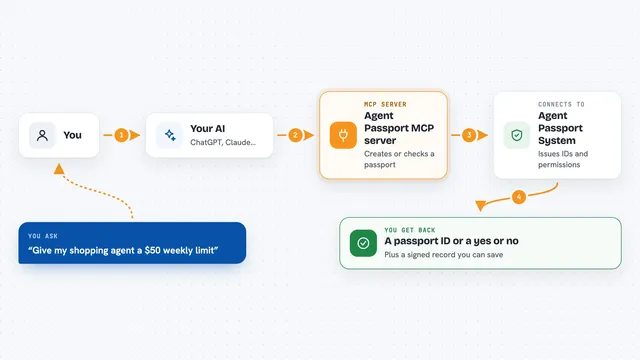
You ask your AI to do something, like publish a project or run a command. Before the risky part, your AI asks Deus Witness for permission. Deus Witness shows you a screen in your browser or on your phone with what the AI wants to do, what it could harm, and the exact command. You tap Allow once, Allow this from now on, or Deny with your passkey. Your answer is signed and stored as a receipt, and the AI continues or stops based on what you chose.
What you can do with it
- Pause risky AI actions until you approve them with a passkey
- See exactly what your AI wants to do before it happens
- Allow a specific action just once or for a limited time
- Deny actions you do not want your AI to take
- Keep a signed record of every approval and denial
- Verify those records offline without needing the service
- Reduce the number of questions in quiet mode
Try asking your AI
- “Publish this project to the web”
- “Run this command outside the sandbox”
- “Send this data to an external service”
- “Delete these files from my home folder”
What it gives back to you
You get a clear screen showing what your AI wants to do and what it could affect. After you decide, you get a signed receipt that records your choice. In the chat, your AI either continues with the action or stops, depending on your answer. You can check those receipts later to see what was approved and when.
Before you start
What you need
- Claude Code version 2.1.295 or newer
- uv installed (a tool for running Python programs)
- A browser or phone to approve actions with a passkey
- A trial account (made automatically when you first try it)
Good to know
It sends some data about your commands and file paths to a hosted service, and it can block or allow actions that change or delete things, so read the data and limits pages before you rely on it.
Install it with your AI
Add Deus Witness MCP server to your AI, no technical skills needed
You don't install anything by hand. You copy one prompt, paste it into an AI that can work on your computer, and it checks, installs and connects the server for you, asking you when it needs something.
Sign in to get the install prompt
Members get a ready-made prompt that lets the Claude desktop app check Deus Witness MCP server, install it and connect it for them, step by step. You don't need any technical skills: you copy, paste and answer a few questions. Your connected AI can also find and install any of the 4,960 MCP servers here for you.
Who it's for
Anyone who lets Claude Code work on its own but wants to approve risky actions, especially developers and teams who need a record of what was allowed.