MCP server · API
OpenAPI MCP server
by snaggle-ai
Lets your AI look up and explain API specifications so you can understand what an online service offers.

This is a small helper that connects your AI to a service called oapis.org, which keeps information about many web APIs. An API is the way one piece of software talks to another, and the OpenAPI spec is the instruction sheet that describes it. This is handy if you work with developers or tools and keep running into these instruction sheets without knowing what they mean.
What is an MCP server? The 30-second version
On its own, your AI can only chat with you using what it already learned. An MCP server is a small helper program that gives your AI a new skill or a connection to an outside service. This one connects your AI to oapis.org, a place that stores OpenAPI specifications. So when you ask about a particular API, your AI can go look it up there and bring the answer back to you.
What this MCP server does
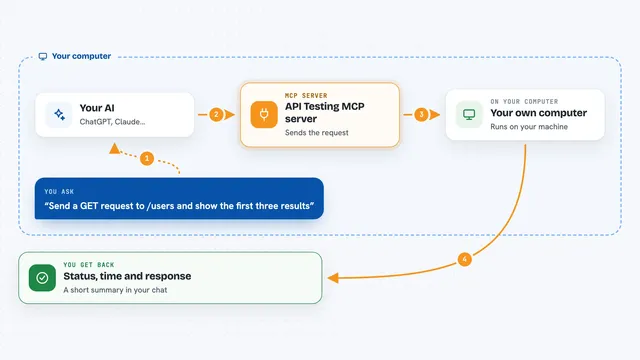
You ask your AI something about an API, for example what it can do or how a certain action works. Your AI uses this helper to find the right specification on oapis.org. The helper first works out which spec you mean, then asks for a plain language summary of it. After that it finds the specific operations you care about and explains how they work, again in simple words. You get the explanation back in your chat, no technical digging needed.
 Click to zoom
What you can do with it
- Get a plain overview of any OpenAPI specification
- Look up details about a specific API operation
- Find the right specification when you only know the API name
- Read specs in both JSON and YAML formats
- Ask follow up questions about how an operation works
Try asking your AI
- “What does the Stripe API let me do?”
- “Explain the create payment operation in the Stripe API in simple words”
- “Find the OpenAPI spec for GitHub and summarize it”
- “Which operations does the Slack API offer for sending messages?”
What it gives back to you
You get answers in your chat, written in everyday language. It can give you an overview of a whole API, a summary of one operation, or details like what information an operation needs and what it sends back. The replies are explanations, not files you have to open yourself.
Before you start
What you need
- The Claude desktop app or Cursor, or another app that supports MCP
- An internet connection, since it looks things up on oapis.org
Good to know
It only reads and explains API specifications, so it does not change anything, but the explanations come from an outside service and may not always be up to date.
Install it with your AI
Add OpenAPI MCP server to your AI, no technical skills needed
You don't install anything by hand. You copy one prompt, paste it into an AI that can work on your computer, and it checks, installs and connects the server for you, asking you when it needs something.
Sign in to get the install prompt
Members get a ready-made prompt that lets the Claude desktop app check OpenAPI MCP server, install it and connect it for them, step by step. You don't need any technical skills: you copy, paste and answer a few questions. Your connected AI can also find and install any of the 4,609 MCP servers here for you.
Who it's for
People who work alongside developers or technical tools and want API documentation explained in plain words.