MCP server · Security
SUNGLASSES MCP server
Let your AI check text and files for hidden tricks, leaked passwords, and risky content before it acts.
SUNGLASSES is a free, open source safety scanner that runs on your own computer. It checks text, files, PDFs, images, and QR codes for things like sneaky instructions aimed at your AI, leaked passwords, and attempts to send your data somewhere it should not go. It is handy for anyone who pastes outside content into an AI and wants a second pair of eyes before trusting it.
What is an MCP server? The 30-second version
On its own, your AI can only chat with you. An MCP server is a small helper program that gives your AI a new skill or a connection to another tool. This one connects your AI to SUNGLASSES, a scanner that lives on your machine. So when you ask your AI to check something, it can hand the text or file to SUNGLASSES and tell you what it found.
What this MCP server does
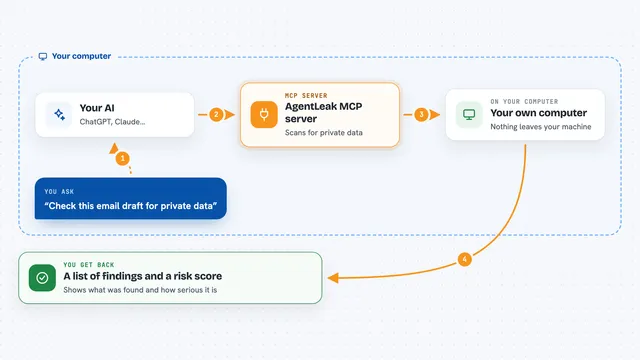
You ask your AI to look over some text or a file. Your AI passes it to the SUNGLASSES helper running on your computer. The helper compares the content against a large set of known patterns for tricks, secrets, and data leaks. It then tells your AI what matched and, just as important, what it could not read. Your AI shares that result with you so you can decide what to do next.
What you can do with it
- Scan a block of text for hidden instructions aimed at your AI
- Check a file on your computer for leaked passwords or keys
- Look inside a PDF or image for risky content
- Read a QR code and check what it points to
- Tell you when part of a file could not be read, so you are not falsely reassured
- Run entirely on your machine, with no data sent to the internet
Try asking your AI
- “Please scan this email text for anything suspicious before I reply”
- “Check the file report.pdf for leaked credentials”
- “Look at this image and tell me if it hides any instructions”
- “Scan this QR code link and tell me if it looks safe”
What it gives back to you
You get back a short report in the chat. It tells you whether anything matched, what kind of thing it was, and how serious it looks. If part of the input could not be read, it says so clearly instead of pretending everything was fine. You also see a simple pass, block, or incomplete status.
Before you start
What you need
- Python 3 installed on your computer
- The SUNGLASSES package installed (a one-line command)
- An AI app that supports MCP servers, like Claude Desktop or Claude Code
Good to know
A clean result only means nothing matched in the parts it could read, so it is a confidence floor and not a guarantee that content is safe.
Install it with your AI
Add SUNGLASSES MCP server to your AI, no technical skills needed
You don't install anything by hand. You copy one prompt, paste it into an AI that can work on your computer, and it checks, installs and connects the server for you, asking you when it needs something.
Sign in to get the install prompt
Members get a ready-made prompt that lets the Claude desktop app check SUNGLASSES MCP server, install it and connect it for them, step by step. You don't need any technical skills: you copy, paste and answer a few questions. Your connected AI can also find and install any of the 4,960 MCP servers here for you.
Who it's for
Anyone who regularly pastes outside text, files, or images into an AI and wants a quick local safety check first.