MCP server · Analytics · official
Algenta MCP server
by thyn-ai · official
Lets your AI look up your datasets, run exact queries, and start agent runs that need your approval.

Algenta is a decision engine: a system that helps you ask questions about your own data and get careful, governed answers. This is the official MCP server that connects your AI assistant to it. It is handy if your team keeps its data in Algenta and you want to ask about it in plain chat instead of opening another tool.
What is an MCP server? The 30-second version
On its own, your AI can only chat with you using what it already knows. An MCP server is a small helper program that gives your AI a new skill or a connection to another service. This one connects your AI to Algenta, so it can look up your datasets, run queries, and start agent runs there when you ask. You do not need to understand how it works inside; you just need to connect it once.
What this MCP server does
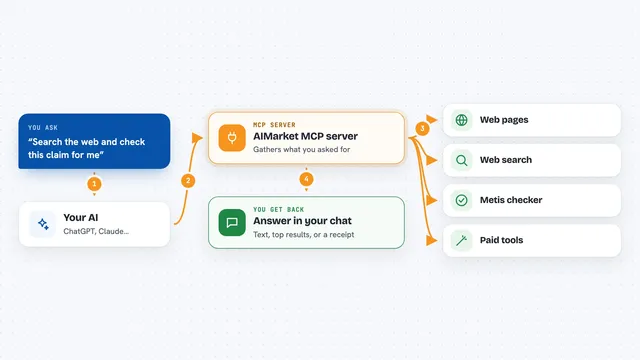
You ask your AI a question in normal words, like which datasets you have or what your revenue was last month. The AI passes that request to this helper, which talks to your Algenta engine. Algenta finds the right dataset, runs the query or simulation, and sends the result back. Your AI then explains the answer to you in the chat. Some actions, like agent runs, can be set up to wait for your approval before they go ahead.
 Click to zoom
What you can do with it
- Find datasets in your Algenta workspace by searching for a word like orders
- Get a summary of a dataset before you query it
- Run an exact query for a metric such as gross revenue
- Run simulations and get recommendations
- Look up past decisions and their execution receipts
- Start an agent run that waits for your approval
- Check the audit trail of what was run and under which policy
Try asking your AI
- “Which datasets do I have that mention orders?”
- “Give me a summary of my orders dataset.”
- “What was our total gross revenue last quarter?”
- “Start an agent run to review last month's numbers and ask me before it does anything.”
What it gives back to you
You get answers in the chat: lists of datasets, short summaries, numbers from queries, and recommendations from simulations. When you start an agent run, you get a record of what it did, including an execution receipt that pins the policy and schema it ran under. If something needs your approval, the AI tells you and waits.
Before you start
What you need
- A free Algenta community login (register your device at algenta.ai)
- An API key from your Algenta dashboard, set as ALGENTA_API_KEY
- Python 3.12 or newer to install the server with pip
Good to know
It can start agent runs and run queries against your real data, so connect it only to the Algenta workspace you mean to use and keep approvals turned on for anything that changes things.
Install it with your AI
Add Algenta MCP server to your AI, no technical skills needed
You don't install anything by hand. You copy one prompt, paste it into an AI that can work on your computer, and it checks, installs and connects the server for you, asking you when it needs something.
Sign in to get the install prompt
Members get a ready-made prompt that lets the Claude desktop app check Algenta MCP server, install it and connect it for them, step by step. You don't need any technical skills: you copy, paste and answer a few questions. Your connected AI can also find and install any of the 4,361 MCP servers here for you.
Who it's for
Analysts, operations leads, and data teams who already use Algenta and want to ask questions about their data from inside their AI assistant.