MCP server · Security
jshook MCP server
by vmoranv
Lets your AI inspect web pages, capture network traffic, and dig into JavaScript, WASM, and app files for you.
jshook is a helper that gives your AI a big toolbox for looking inside websites and apps. It can hook into a browser page, watch the network traffic, untangle messy JavaScript, and peek at compiled files. It is handy for people who do security checks, bug hunting, or curious digging into how a site or app works.
What is an MCP server? The 30-second version
On its own, your AI can only chat with you. An MCP server is a small helper program that gives your AI a new skill or a connection to another tool. This one connects your AI to a reverse-engineering workspace, so it can open pages, capture traffic, and inspect code when you ask. You stay in the chat; the helper does the heavy lifting in the background.
What this MCP server does
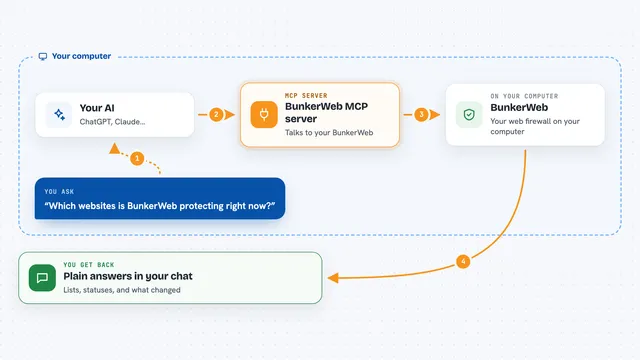
You ask your AI a question, like what a website is sending in the background. The AI uses this helper to attach to a browser, record the network requests, and pull out the JavaScript. The helper can also disassemble WebAssembly files, scan memory, or look inside an Android app package. Then it hands the results back to your AI, which explains them to you in plain words.
What you can do with it
- Open a web page in a controlled browser and watch what it loads
- Capture and replay network requests, including GraphQL calls
- Untangle minified or obfuscated JavaScript so it is easier to read
- Disassemble WebAssembly files and list their imports and exports
- Inspect a running process and scan its memory for strings
- Look inside an Android APK and decompile its code
- Run Frida scripts to hook functions in a live app
Try asking your AI
- “Open this page and show me every network request it makes”
- “This JavaScript file is minified. Can you clean it up and explain what it does?”
- “Take a look at this WASM file and tell me what functions it exports”
- “Inspect this APK and list the permissions it asks for”
What it gives back to you
You get back lists, summaries, and explanations in the chat. For example, a table of network requests, a cleaned-up version of a script, or a plain-English description of what a WASM function does. When it changes something, like starting a proxy or attaching to a process, it tells you what it did.
Before you start
What you need
- Node.js version 22.22.2, 24.15.0, or 26 and newer
- An MCP client like Claude Desktop or Cursor
- A browser like Chromium if you want to inspect web pages
Good to know
This server can read private files, capture network traffic, and change things in running apps or processes, so only use it on systems and accounts you own or have permission to test.
Install it with your AI
Add jshook MCP server to your AI, no technical skills needed
You don't install anything by hand. You copy one prompt, paste it into an AI that can work on your computer, and it checks, installs and connects the server for you, asking you when it needs something.
Sign in to get the install prompt
Members get a ready-made prompt that lets the Claude desktop app check jshook MCP server, install it and connect it for them, step by step. You don't need any technical skills: you copy, paste and answer a few questions. Your connected AI can also find and install any of the 4,960 MCP servers here for you.
Who it's for
Security researchers, bug bounty hunters, and developers who need to understand how a website or app works under the hood.