MCP server · Security
AWS Audit Scanner MCP server
Lets your AI check your AWS account for public buckets, missing MFA, unused keys, and forgotten spend.
This is a small helper that lets your AI look around inside your Amazon Web Services (AWS) account and report back on common problems. It only reads, never changes anything, and it runs on your own computer with your own login. It is handy if you have an AWS account and want a plain list of what looks risky or wasteful without clicking through the console for an afternoon.
What is an MCP server? The 30-second version
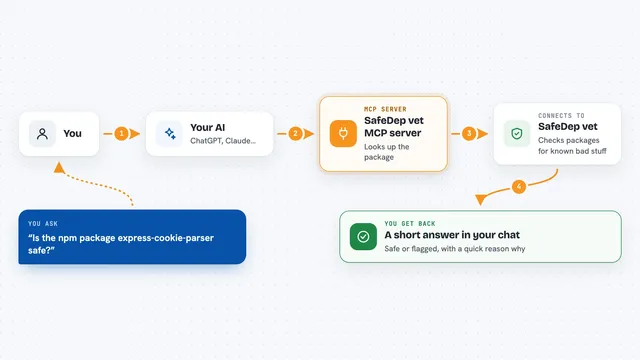
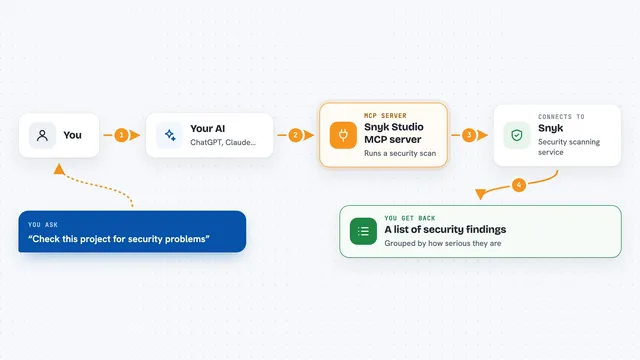
On its own, your AI can only chat. An MCP server is a little helper program that gives your AI a new skill or a connection to something. This one connects your AI to your AWS account so it can look things up there for you. You ask a question, the AI uses this helper, and the helper asks AWS for the facts.
What this MCP server does
You ask your AI something like whether anything in your account is public. The AI calls this helper, and the helper makes read-only calls to AWS (things like Describe, List, and Get). It checks S3 buckets, security groups, IAM users and keys, CloudTrail logging, and leftover EC2, EBS, and RDS resources across every region. Then it hands the AI a list of findings, each with a severity, the resource name, why it matters, and how to fix it. The AI turns that into an answer for you.
What you can do with it
- Find S3 buckets that are open to the public
- Check whether your root account has multi-factor authentication turned on
- Spot IAM users without MFA and access keys that were never used
- List security groups with sensitive ports open to the whole internet
- See whether CloudTrail is logging and covering all regions
- Find stopped EC2 instances, unattached EBS volumes, and forgotten resources in other regions
Try asking your AI
- “Audit my AWS account and tell me what looks risky”
- “Is anything in my account public that shouldn't be?”
- “Which access keys have never been used?”
- “What am I still paying for that nobody is using?”
What it gives back to you
You get a written answer in the chat, built from a list of findings. Each finding names the specific resource, gives a severity, explains why it matters, and shows the console and command-line steps to fix it. Cost figures are rough estimates, not exact bills.
Before you start
What you need
- An AWS account with credentials your computer can use (a profile, environment variables, or an instance role)
- Node.js 22 or newer installed on your computer
- The Claude desktop app or another MCP client
- The project downloaded and built once with npm install and npm run build
Good to know
It only reads, never changes anything, but it does look at private details of your AWS account, so only run it with credentials you are comfortable using.
Install it with your AI
Add AWS Audit Scanner MCP server to your AI, no technical skills needed
You don't install anything by hand. You copy one prompt, paste it into an AI that can work on your computer, and it checks, installs and connects the server for you, asking you when it needs something.
Sign in to get the install prompt
Members get a ready-made prompt that lets the Claude desktop app check AWS Audit Scanner MCP server, install it and connect it for them, step by step. You don't need any technical skills: you copy, paste and answer a few questions. Your connected AI can also find and install any of the 4,361 MCP servers here for you.
Who it's for
Anyone who has an AWS account and wants a quick, plain check of its security and spend without being an AWS expert.