
MCP server · Analytics
libSQL Database MCP server
by Xexr
Lets your AI look inside a libSQL database, read rows, and make changes when you ask.
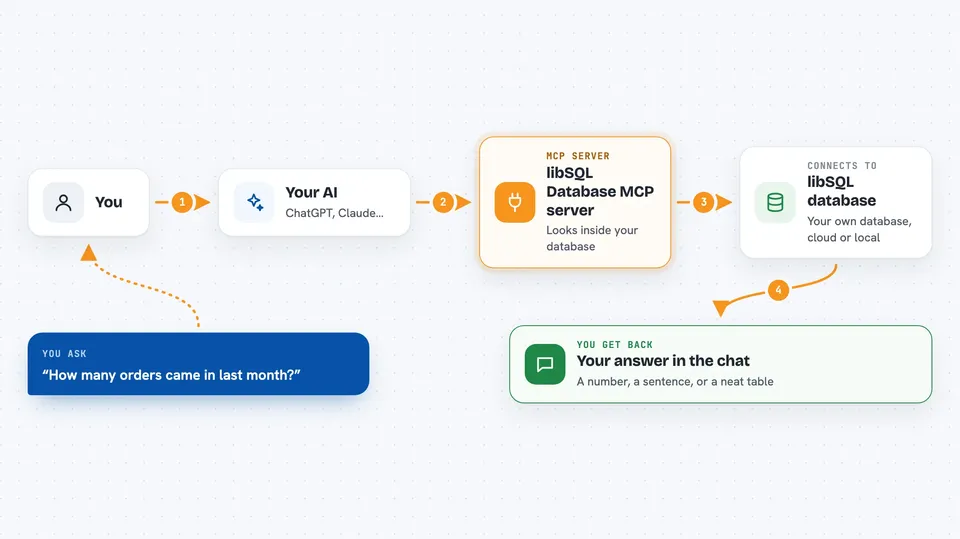
This is a helper for your AI that connects it to a libSQL database, which is a kind of database file or online database. Once it is set up, you can ask your AI in plain words to show you tables, look up rows, or add and change data, and it will do the database work for you. It is handy for anyone who has data in a libSQL or Turso database but does not want to write SQL by hand.
What is an MCP server? The 30-second version
On its own, your AI can only chat. It cannot see your database or change anything in it. An MCP server is a small helper program that gives your AI a new skill or a connection to an app or service. This one connects your AI to a libSQL database, so it can look things up and make changes there when you ask.
What this MCP server does
You ask your AI something about your database, like which tables exist or how many orders came in last month. Your AI passes that request to this helper program. The helper talks to your libSQL database, runs the right query, and checks it for safety first. Then it sends the result back, and your AI shows it to you in the chat as a neat table or a short answer.
 Click to zoom
What you can do with it
- List all the tables in your database
- Show the columns and structure of a table
- Read rows with a select query
- Add new rows, update rows, or delete rows
- Create a new table
- Change a table by adding, renaming, or dropping a column
Try asking your AI
- “List all the tables in my database”
- “Show me the structure of the customers table”
- “How many orders were placed last month?”
- “Add a new row to the products table with name Notebook and price 4.99”
What it gives back to you
You get answers right in the chat. Simple questions come back as a sentence or a number, and row results come back as a formatted table with columns lined up. It also shows how long the query took. If you asked it to change data, it tells you what it changed.
Before you start
What you need
- Node.js version 20 or newer
- A package manager like pnpm or npm
- A libSQL database, either a file on your computer or a Turso database online
- For Turso databases, an auth token from Turso (a kind of password for your database)
Good to know
This helper can change and delete data in your database, so be careful with requests that write or remove rows, and keep a backup of anything important.
Install it with your AI
Add libSQL Database MCP server to your AI, no technical skills needed
You don't install anything by hand. You copy one prompt, paste it into an AI that can work on your computer, and it checks, installs and connects the server for you, asking you when it needs something.
Sign in to get the install prompt
Members get a ready-made prompt that lets the Claude desktop app check libSQL Database MCP server, install it and connect it for them, step by step. You don't need any technical skills: you copy, paste and answer a few questions. Your connected AI can also find and install any of the 4,361 MCP servers here for you.
Who it's for
Anyone who keeps data in a libSQL or Turso database and wants to ask questions or make small changes without writing SQL themselves.


