MCP server · Analytics
Camberstack Google Ads MCP server
by zwznco
Lets your AI read your Google Ads account, research keywords and propose changes you approve before anything happens.
Camberstack connects your AI assistant to Google Ads, and if you want, to Search Console and Google Analytics too. You can ask questions about your account in plain words, get keyword ideas, and have the AI prepare changes for you to approve. It is handy for anyone who runs Google Ads but does not want to click through the whole interface, from freelancers to small agencies.
What is an MCP server? The 30-second version
On its own, your AI can only chat. An MCP server is a small helper program that gives your AI a new skill or a connection to an app or service. This one connects your AI to Google Ads, so it can look things up in your account and prepare changes there when you ask. You do not install anything: Camberstack is hosted, and you sign in with your Google account.
What this MCP server does
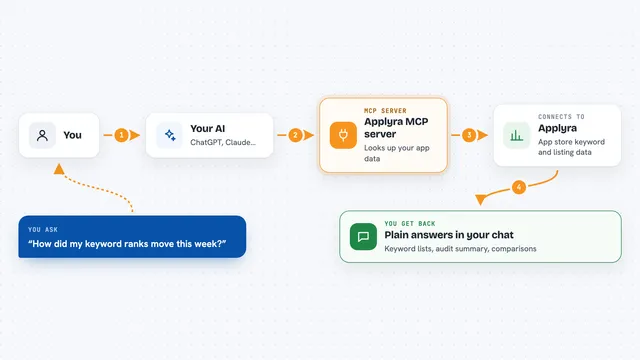
You ask your AI something about your Google Ads account, like how much you spent last month or which keywords might be worth adding. The AI sends that request to Camberstack, which talks to Google Ads on your behalf. For reading, the answer comes straight back into your chat. For changes, Camberstack first builds a proposal with a plain-English summary and dry-runs it with Google, so you can see exactly what would happen. Nothing changes until you approve that proposal, and every applied change can be undone in one call.
What you can do with it
- See every Google Ads account you can reach, including client accounts under a manager
- Get spend, conversions and cost per conversion per campaign
- Research keyword ideas with monthly searches, competition and bid ranges
- Run any read-only Google Ads query
- Check Search Console performance, trends and opportunities
- Look at Google Analytics 4 landing pages and reports
- Propose and apply changes like negatives, budgets and new campaigns, each logged with undo
Try asking your AI
- “How much did I spend on Google Ads last month, and which campaign cost the most per conversion?”
- “Give me keyword ideas for a bakery in Leeds, and tell me which ones I already target.”
- “Pause the campaign called Summer Sale and add 'free' as a negative keyword.”
- “Build a paused Search campaign for my new running shoes line with three ad groups.”
What it gives back to you
For questions, you get answers in your chat: numbers, lists of campaigns, keyword tables, Search Console trends or Analytics reports. For changes, you get a proposal with a plain-English summary, risky items flagged with a warning line, and a note that nothing has changed yet. Once you approve, it tells you what was applied, and you can undo it later. Everything is kept in a change history you can look back at.
Before you start
What you need
- A Google Ads account you can sign in to
- A free Camberstack account (the free plan covers one Google Ads account at a time with one switch a month)
- An MCP client like Claude, ChatGPT or Cursor
- Optional: Search Console and Google Analytics access if you want those tools too
Good to know
It can change your Google Ads account when you approve a proposal, so read the summary and any warning lines before you say yes; every applied change can be undone, and it never deletes things you built yourself.
Install it with your AI
Add Camberstack Google Ads MCP server to your AI, no technical skills needed
You don't install anything by hand. You copy one prompt, paste it into an AI that can work on your computer, and it checks, installs and connects the server for you, asking you when it needs something.
Sign in to get the install prompt
Members get a ready-made prompt that lets the Claude desktop app check Camberstack Google Ads MCP server, install it and connect it for them, step by step. You don't need any technical skills: you copy, paste and answer a few questions. Your connected AI can also find and install any of the 4,609 MCP servers here for you.
Who it's for
Anyone who runs Google Ads and wants to ask questions or make changes in plain words, from solo business owners to small agencies managing client accounts.