AI agent for it specialists
Backup Job Failure Follow-up Agent
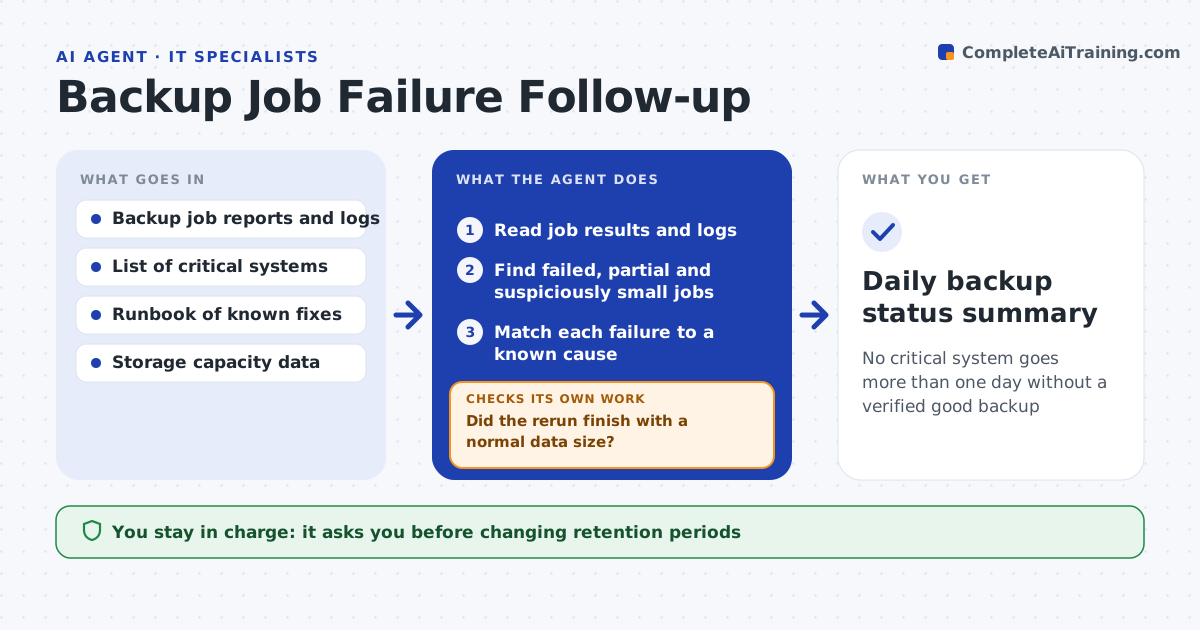
No critical system goes more than one day without a verified good backup
What it does
Backup software reports failures every night, but the report is easy to ignore, and a system can go weeks without a good backup. Each morning this agent reads the backup job results and finds failed or partial jobs. It reads the logs for the cause, such as a full target disk, a locked file or an offline server. For known safe fixes in your runbook, such as rerunning the job, it applies the fix and checks the new result. It also checks file counts, because a job can report success while copying nothing. If a job keeps failing, it opens a ticket with the evidence and the number of days since the last good backup. You approve anything that changes retention or storage. Edge case: a job that reports success but backed up zero files is treated as a failure.
How it works
Follow the arrows from top to bottom. The orange dashed arrow is the loop: when a check fails, the agent goes back and tries again.
Read the steps as a list
- Backup window ends
- Read job results and logs
- Find failed, partial and suspiciously small jobs
- Match each failure to a known cause
- Apply the runbook fix and rerun the job
- Did the rerun finish with a normal data size?If not: open a ticket with logs and days since last good backup. Back to step 4.
- IT lead approves storage or retention changesThe agent waits here for your OK.
- Daily backup status summary
How it decides
A job counts as good only if it succeeded and the data size is within the normal range. Known errors get the runbook fix once.
- Treat a job with 0 files or a size under half the usual as failed
- Escalate critical systems after one missed day
- Only use runbook fixes that do not delete data
Make it yours
Every agent is a starting point. You choose these settings for your own situation.
- Critical systems list
- Size drop that counts as failure (default 50%)
- Runbook fixes allowed
- Summary recipients
What keeps you in control
It always asks you first
- Changing retention periods
- Adding or freeing storage
Hard limits
- Never deletes backups or restore points
- No retention changes without approval
It stops when
- Done: all critical jobs good or ticketed
- Stop: backup console unreachable
Set it up
We guide you through the set-up, step by step
Members get the full set-up guide for this agent. No technical skills needed: you copy, paste and upload.
- One set of instructions to paste into your AI, with the clicks for ChatGPT, Claude, Microsoft 365 Copilot, Gemini and Grok
- The agent then walks you through connecting your own data, one source at a time
- A downloadable copy with the flow chart, the rules and the full guide