AI agent for illustrators
Client Asset Revision Branch Agent
A new revision built from the right approved version with every frozen element intact
What it does
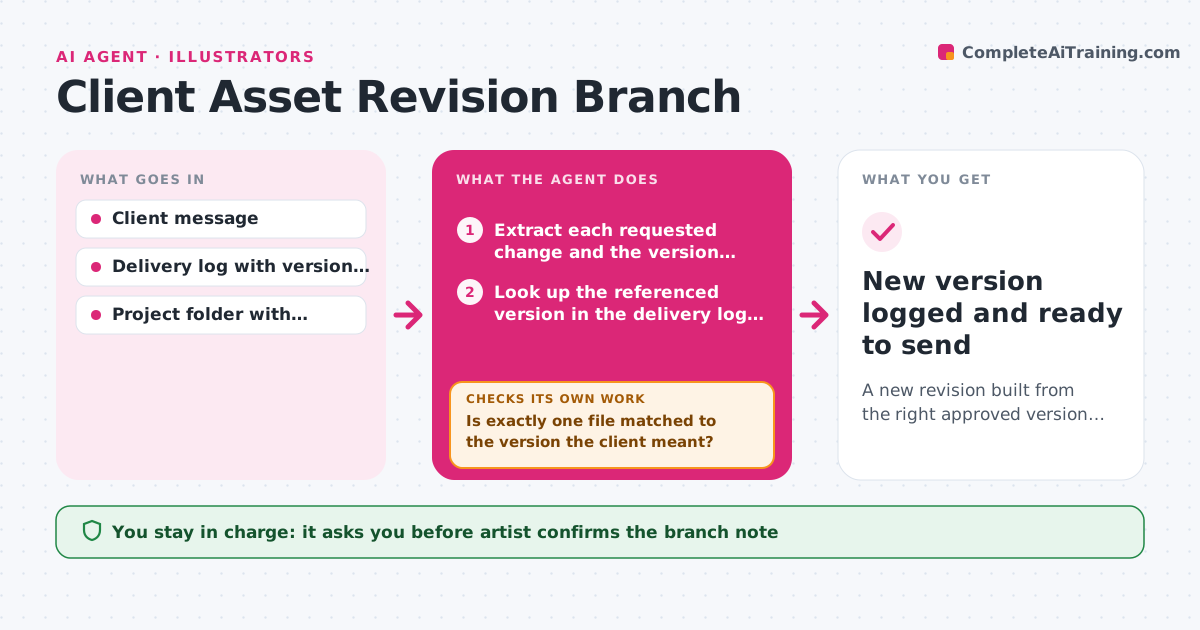
A client writes, 'Go back to version two but make the sky warmer.' The artist then has to work out which file that was, what was approved, and what must not move. When a change request arrives, this agent reads the message, finds the version the client referenced in the delivery log and project folder, and writes a branch note listing what changes and what stays frozen, such as the approved pose, palette or logo placement. After the artist makes edits, the agent compares the new version with the frozen elements, using layer names, export diffs or checksums on the files that should not change. If a frozen element moved, it loops back with the exact difference. The artist approves before the new version goes to the client. Edge case: the client says 'version two' but the log shows two files with that label, so the agent asks which one.
How it works
Follow the arrows from top to bottom. The orange dashed arrow is the loop: when a check fails, the agent goes back and tries again.
Read the steps as a list
- Client change request arrives
- Extract each requested change and the version referenced
- Look up the referenced version in the delivery log and project folder
- Is exactly one file matched to the version the client meant?If not: List the candidate files and ask the artist which one the client meant, then re-read the request. Back to step 2.
- Write the branch note: what changes and what stays frozen
- Artist confirms the branch note and starts editingThe agent waits here for your OK.
- Compare the edited version with the frozen elements
- Are all frozen elements unchanged?If not: Report the changed element with before and after views and return it to the artist. Back to step 6.
- Artist approves the version for deliveryThe agent waits here for your OK.
- New version logged and ready to send
How it decides
It trusts the delivery log over file names, treats anything the client approved in writing as frozen, and flags any frozen element that differs from the source version.
- Freeze anything the client approved in writing in an earlier round
- If two files share the referenced label, stop and ask rather than guess
- Treat a changed checksum on a frozen export as a failed check
- Record every new branch in the delivery log with its parent version
Make it yours
Every agent is a starting point. You choose these settings for your own situation.
- What counts as a frozen element for each client
- How version labels are written in your log
- Comparison method (layer names, checksum or visual diff)
- Folder where branches are stored
What keeps you in control
It always asks you first
- Artist confirms the branch note
- Artist approves the new version before it is sent to the client
Hard limits
- Never overwrite the parent version
- Never send anything to the client without approval
It stops when
- Done: The new version passes the frozen-element check and is logged
- Stop: The referenced version cannot be identified after asking the artist
Set it up
We guide you through the set-up, step by step
Members get the full set-up guide for this agent. No technical skills needed: you copy, paste and upload.
- One set of instructions to paste into your AI, with the clicks for ChatGPT, Claude, Microsoft 365 Copilot, Gemini and Grok
- The agent then walks you through connecting your own data, one source at a time
- A downloadable copy with the flow chart, the rules and the full guide