AI agent for curriculum developers
Course Version Change Log and Notice Agent
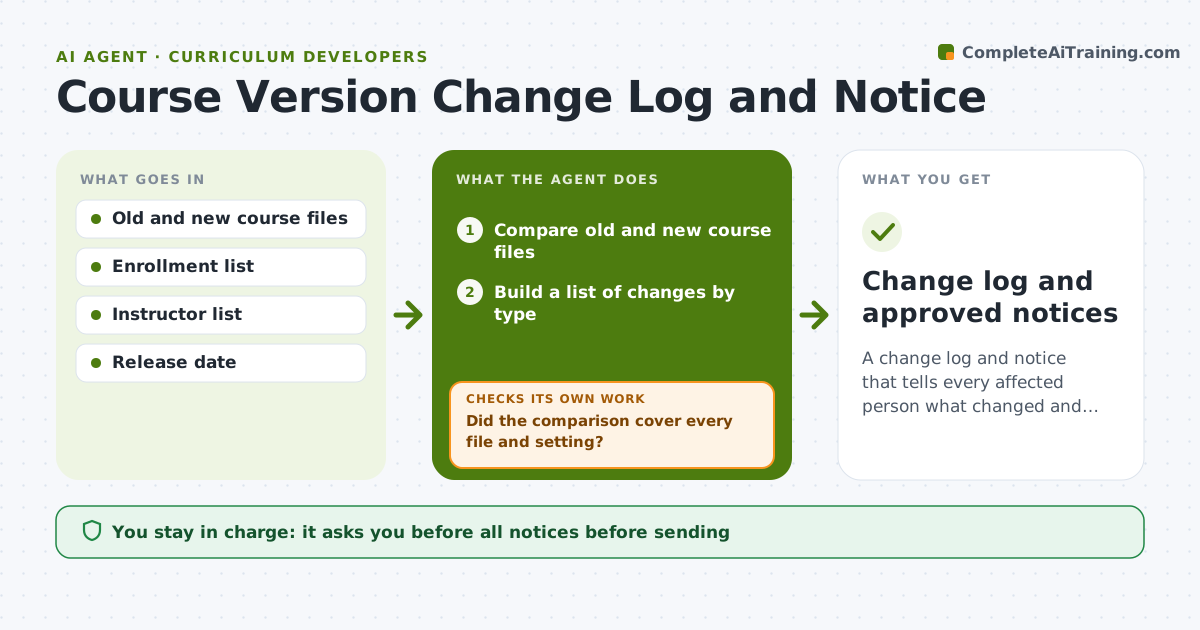
A change log and notice that tells every affected person what changed and what to do.
What it does
You update a live course, and instructors learn about it from a confused learner. This agent compares the old and new course files and lists changed objectives, activities, assessments and dates. It identifies who is affected, such as instructors, learners mid-course or support staff, and drafts a change notice for each group. It then checks the notice against the change list to make sure every detected change appears. Edge case: a quiz answer key changed in a hidden file, so the agent adds it to the notice. The curriculum lead approves it before it goes to instructors.
How it works
Follow the arrows from top to bottom. The orange dashed arrow is the loop: when a check fails, the agent goes back and tries again.
Read the steps as a list
- New course version ready
- Compare old and new course files
- Build a list of changes by type
- Did the comparison cover every file and setting?If not: rerun on missed files and add them to the list. Back to step 2.
- Work out who is affected by each change
- Draft notices for instructors and learners
- Does every change on the list appear in a notice?If not: add the missing items and recheck. Back to step 6.
- Curriculum lead approves noticesThe agent waits here for your OK.
- Change log and approved notices
How it decides
It marks a change as notable if it affects objectives, grading, deadlines or required work, and writes the notice from that list.
- Changes to grading or deadlines are always highlighted at the top.
- Cosmetic changes are grouped in one line.
- Learners mid-course get a note on what they must redo, if anything.
- Version numbers follow the lead's scheme.
Make it yours
Every agent is a starting point. You choose these settings for your own situation.
- Version naming
- Audience groups
- Detail level for learners
- Notice format
- What counts as notable
What keeps you in control
It always asks you first
- All notices before sending
- Any statement about required re-work for learners
Hard limits
- Do not send any notice itself.
- Do not describe changes the comparison did not find.
It stops when
- Done: notices cover all changes and were approved
- Stop: files cannot be compared, so the agent asks for the old version
Set it up
We guide you through the set-up, step by step
Members get the full set-up guide for this agent. No technical skills needed: you copy, paste and upload.
- One set of instructions to paste into your AI, with the clicks for ChatGPT, Claude, Microsoft 365 Copilot, Gemini and Grok
- The agent then walks you through connecting your own data, one source at a time
- A downloadable copy with the flow chart, the rules and the full guide