AI agent for plumbers
Customer Job Follow-Up Agent
Every customer understands the work and gets timely follow-up
What it does
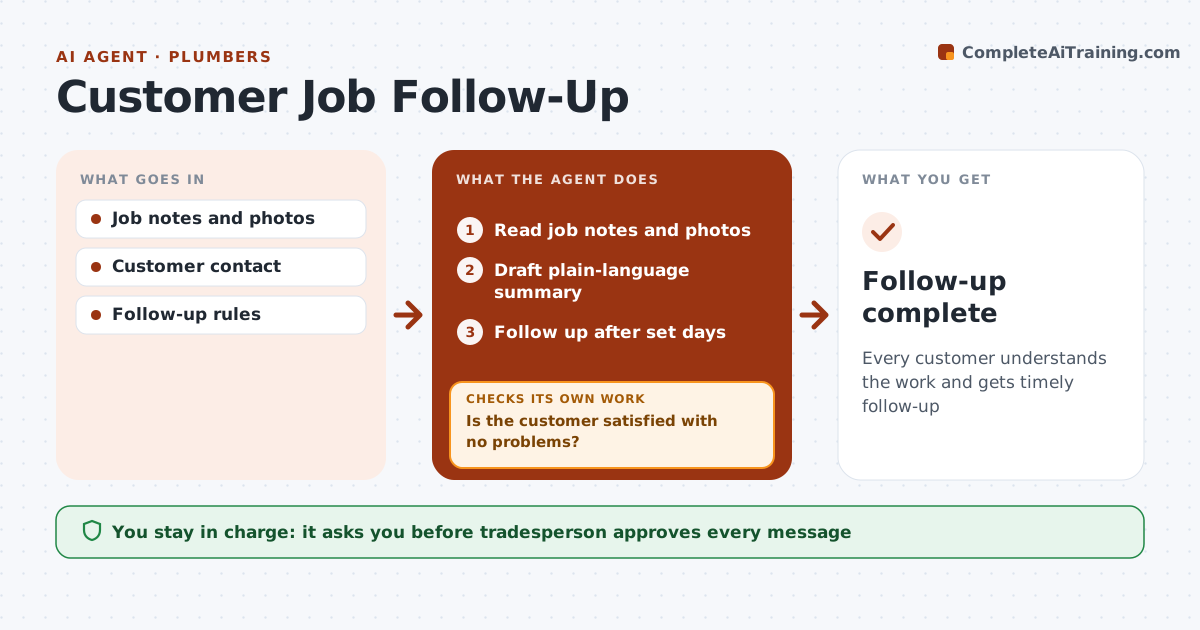
After a service call, customers want to know what was fixed, what to watch for and what comes next. This agent reads the technician's job notes and photos and drafts a plain-language summary, which the tradesperson approves and sends. It schedules follow-ups, such as a check 3 days after a repair and yearly maintenance reminders. When the follow-up date comes, it checks whether the customer has questions or problems. If the problem returned, it schedules a callback first. Only once the job is confirmed fine does it ask for a review. The tradesperson approves every message. Edge case: a customer who reports the problem came back is never asked for a review until the callback fixes it.
How it works
Follow the arrows from top to bottom. The orange dashed arrow is the loop: when a check fails, the agent goes back and tries again.
Read the steps as a list
- Job complete
- Read job notes and photos
- Draft plain-language summary
- Tradesperson sends summaryThe agent waits here for your OK.
- Follow up after set days
- Is the customer satisfied with no problems?If not: schedule a callback. Back to step 5.
- Draft a review request and set the maintenance reminder
- Tradesperson approves the review requestThe agent waits here for your OK.
- Follow-up complete
How it decides
Follow-up timing depends on job type. Problems trigger callbacks before review requests.
- Follow-up after 3 days for repairs
- Problems first, reviews later
- Maintenance reminders yearly
Make it yours
Every agent is a starting point. You choose these settings for your own situation.
- Follow-up timing
- Message channel
- Review site
- Templates
What keeps you in control
It always asks you first
- Tradesperson approves every message
Hard limits
- Never sends messages itself
- Respects opt-outs
It stops when
- Done: customer confirmed
- Stop: customer opts out
Set it up
We guide you through the set-up, step by step
Members get the full set-up guide for this agent. No technical skills needed: you copy, paste and upload.
- One set of instructions to paste into your AI, with the clicks for ChatGPT, Claude, Microsoft 365 Copilot, Gemini and Grok
- The agent then walks you through connecting your own data, one source at a time
- A downloadable copy with the flow chart, the rules and the full guide