AI agent for small business owners
Customer Message Triage Agent
Answer every buyer message accurately within the marketplace deadline
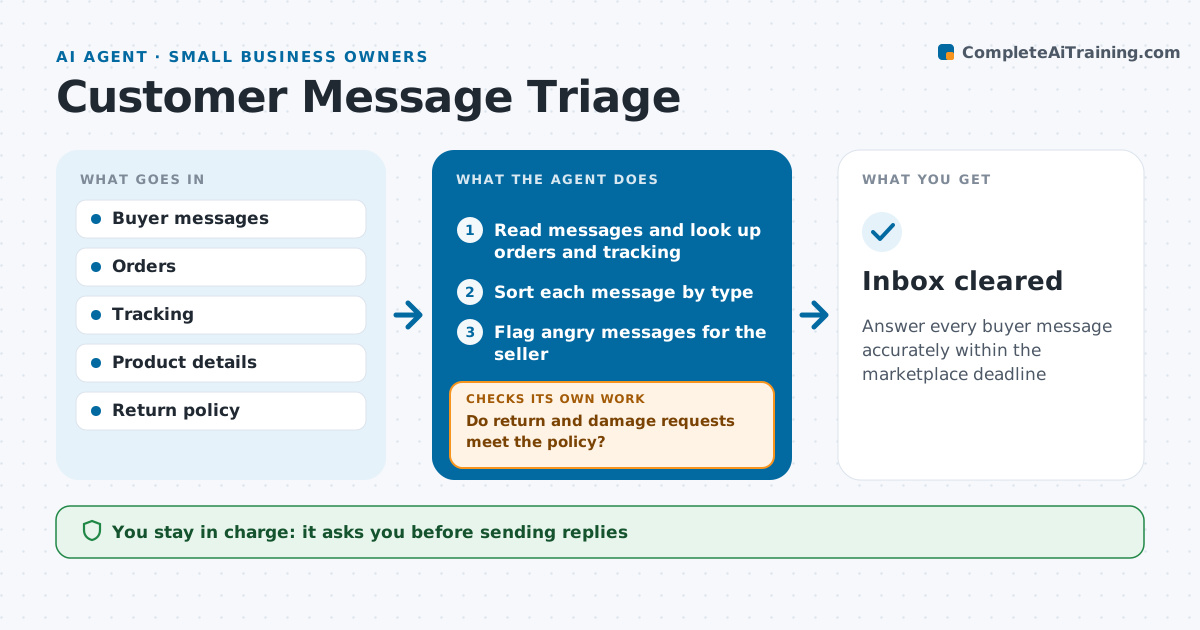
What it does
Marketplaces track how quickly sellers reply, and slow or wrong answers hurt ratings. This agent reads new buyer messages and looks up each order, tracking status and product details. It sorts each message: where is my order, return request, product question, damaged item or complaint. Angry messages threatening a bad review go straight to the seller. For returns it checks the order against the policy window, and damaged items need a photo before any refund. It drafts replies using real tracking status and product facts. The seller approves every reply, refund and replacement. It then checks every message is answered before its response deadline and moves overdue ones to the top with an alert. Edge case: an angry message threatening a review is flagged for the seller to handle personally.
How it works
Follow the arrows from top to bottom. The orange dashed arrow is the loop: when a check fails, the agent goes back and tries again.
Read the steps as a list
- New messages arrive
- Read messages and look up orders and tracking
- Sort each message by type
- Flag angry messages for the seller
- Do return and damage requests meet the policy?If not: draft a reply asking for photos or explaining the policy window. Back to step 3.
- Draft replies with real order facts
- Seller approves replies, refunds and replacementsThe agent waits here for your OK.
- Is every message answered before its deadline?If not: move overdue messages to the top and alert the seller. Back to step 6.
- Inbox cleared
How it decides
Message type decides the reply path. Refunds and replacements always need approval.
- Damaged items need a photo before refund
- Return requests checked against the policy window
- Angry messages go to the seller
Make it yours
Every agent is a starting point. You choose these settings for your own situation.
- Check frequency
- Message types needing approval
- Reply tone
- Refund approval limit
What keeps you in control
It always asks you first
- Sending replies
- Refunds and replacements
Hard limits
- Never issues refunds itself
- Never promises delivery dates not shown by the carrier
It stops when
- Done: inbox empty
- Stop: account messaging blocked
Set it up
We guide you through the set-up, step by step
Members get the full set-up guide for this agent. No technical skills needed: you copy, paste and upload.
- One set of instructions to paste into your AI, with the clicks for ChatGPT, Claude, Microsoft 365 Copilot, Gemini and Grok
- The agent then walks you through connecting your own data, one source at a time
- A downloadable copy with the flow chart, the rules and the full guide