AI agent for aerospace engineers
Design Trade Study Agent
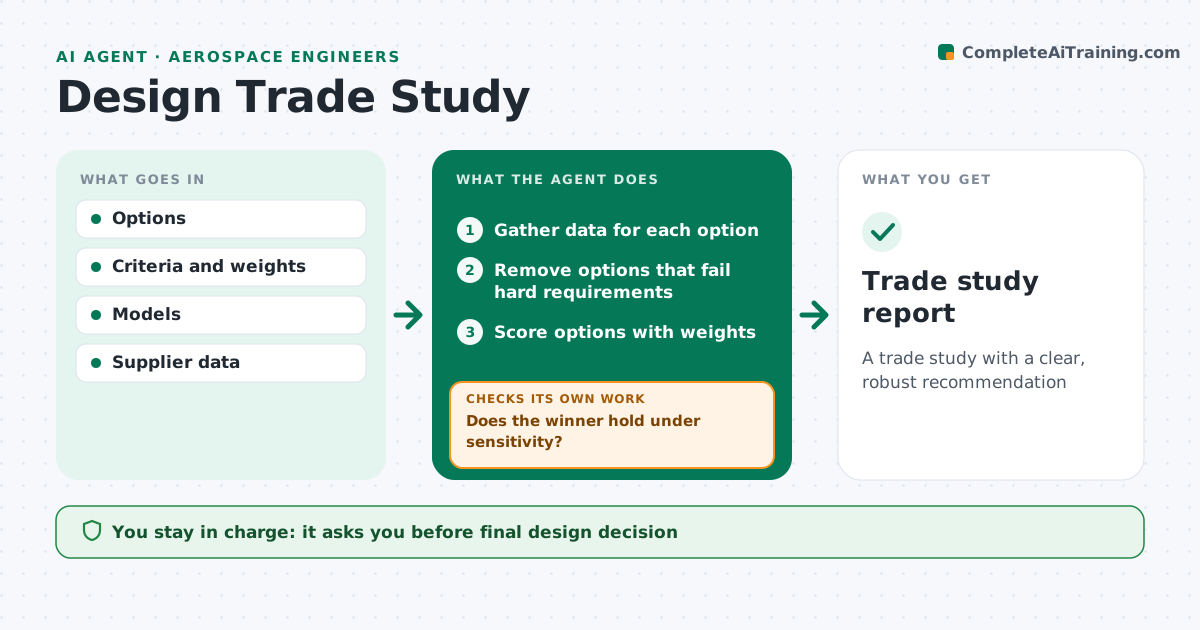
A trade study with a clear, robust recommendation
What it does
Choosing between design options means running the numbers for each one, and a winner that rests on shaky data can mislead a program. When a trade study is requested, this agent gathers mass, cost and performance data for each option from models and suppliers, using supplier data over estimates when available. It removes any option that fails a hard requirement before scoring. It then scores the remaining options with the agreed weights and runs a sensitivity check to see whether the winner changes with small shifts in weights or data. If it does, it flags the study as not decisive and lists which data to firm up, then reruns once better data arrives. The engineer approves the recommendation and makes the decision. Edge case: an option that only wins with an optimistic supplier quote is flagged.
How it works
Follow the arrows from top to bottom. The orange dashed arrow is the loop: when a check fails, the agent goes back and tries again.
Read the steps as a list
- Trade study requested
- Gather data for each option
- Remove options that fail hard requirements
- Score options with weights
- Run sensitivity checks
- Does the winner hold under sensitivity?If not: list data to firm up and gather it. Back to step 2.
- Engineer approves recommendationThe agent waits here for your OK.
- Trade study report
How it decides
It scores options with weights and checks if the ranking holds when weights or data move within the set range.
- Remove options failing hard requirements
- Flag studies where the winner changes
- Use supplier data over estimates when available
Make it yours
Every agent is a starting point. You choose these settings for your own situation.
- Sensitivity range (default 10%)
- Criteria and weights
- Report format
- Data sources
What keeps you in control
It always asks you first
- Final design decision
Hard limits
- Never makes the design decision
It stops when
- Done: report approved
- Stop: data unavailable
Set it up
We guide you through the set-up, step by step
Members get the full set-up guide for this agent. No technical skills needed: you copy, paste and upload.
- One set of instructions to paste into your AI, with the clicks for ChatGPT, Claude, Microsoft 365 Copilot, Gemini and Grok
- The agent then walks you through connecting your own data, one source at a time
- A downloadable copy with the flow chart, the rules and the full guide