AI agent for ux/ui designers
Interview Synthesis Evidence Agent
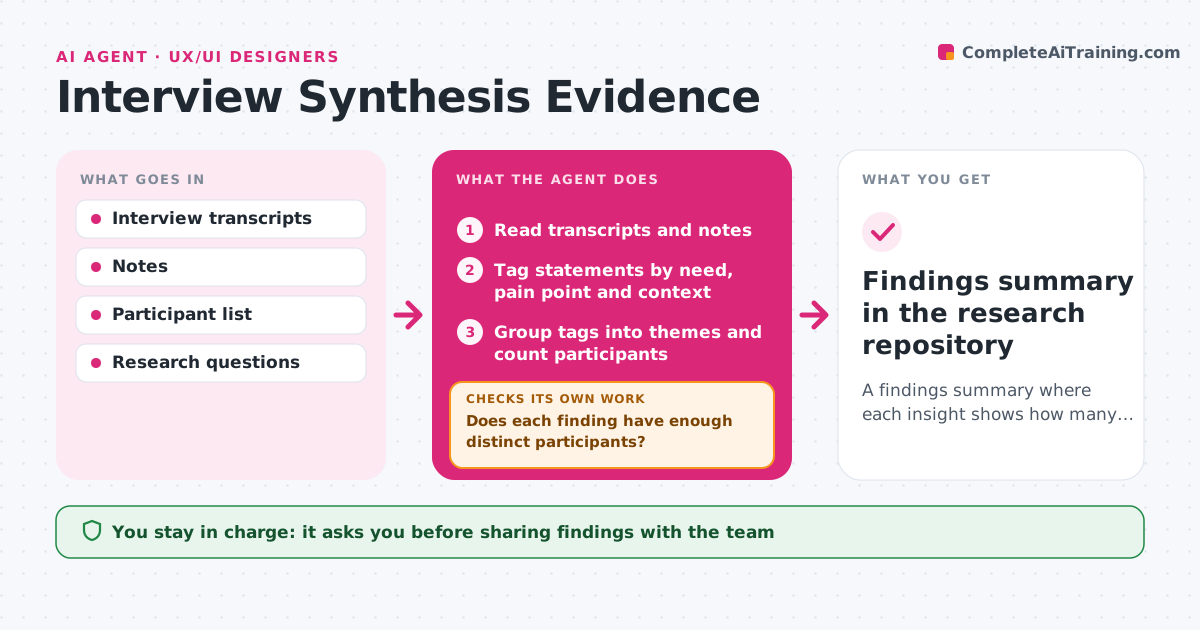
A findings summary where each insight shows how many participants support it
What it does
After a round of user interviews, designers tend to remember the loudest quotes rather than the most common needs. This agent reads every transcript and note, tags each statement by need, pain point and context, and groups the tags into themes. For each theme it counts how many different participants support it and attaches their quotes. A participant who repeats a point counts once. A finding that rests on too few people fails the check; the agent searches the transcripts for more evidence phrased differently, or marks the finding as weak. It links each finding to the research question it answers and drafts a summary with quotes and counts. The designer reviews findings before they are shared. Edge case: one participant saying the same thing five times still counts as one person.
How it works
Follow the arrows from top to bottom. The orange dashed arrow is the loop: when a check fails, the agent goes back and tries again.
Read the steps as a list
- Interview round completes
- Read transcripts and notes
- Tag statements by need, pain point and context
- Group tags into themes and count participants
- Does each finding have enough distinct participants?If not: search transcripts for more evidence or mark the finding as weak. Back to step 4.
- Draft findings with quotes and counts
- Designer reviews findings before sharingThe agent waits here for your OK.
- Findings summary in the research repository
How it decides
A theme becomes a finding only if it is supported by the minimum number of distinct participants. Repeated statements by one person count once.
- Count each participant once per theme
- Mark findings with fewer than the minimum as weak
- Link every finding to the research question it answers
Make it yours
Every agent is a starting point. You choose these settings for your own situation.
- Minimum participants per finding (default 3)
- Tag set to use
- Summary format
- Whether to include weak findings
What keeps you in control
It always asks you first
- Sharing findings with the team
Hard limits
- Removes names before sharing quotes
- Never invents quotes
It stops when
- Done: findings approved and stored
- Stop: transcripts missing or incomplete; list which
Set it up
We guide you through the set-up, step by step
Members get the full set-up guide for this agent. No technical skills needed: you copy, paste and upload.
- One set of instructions to paste into your AI, with the clicks for ChatGPT, Claude, Microsoft 365 Copilot, Gemini and Grok
- The agent then walks you through connecting your own data, one source at a time
- A downloadable copy with the flow chart, the rules and the full guide